REVIEW: Jabbawockeez (Monte Carlo Resort & Casino, Las Vegas)

October 16, 2012

image[I was originally going to post this to Yelp back in February 2012, and I still may, but I was so utterly disappointed in this show that I actually held off publishing this thinking that maybe over time, my opinion would change.  Well, it didn’t.  And I don’t have the time to cull the review down to a size that will fit a single Yelp post so… maybe later.  Until then, here’s the review in its entirety.]

I’m sorry but this show is borderline awful.

I would, if I could, ask for a complete refund. Not since Tony & Tina’s Wedding of the Imperial Palace Luau have I felt this un-entertained. I don’t even know where to begin so I’m just going to going to go “stream of consciousness” on this review because I have too many negative thoughts and not enough ways to communicate them.

IT’S A GENERATIONAL THING
First of all, I wanted to leave 30 minutes into the show because while I give every show a fighting chance to prove their ticket value, it was really clear early on that it just wasn’t going to improve. I think this show basically comes down to a simple rule: If you’re over the age of 30, you’re not likely going to enjoy this show. This is a show for the current generation… at most. And you’ve got to REALLY like dance crew culture to appreciate this performance because there’s very little else to latch on to.

And clearly there were some groupies of dance crews in the audience – or at least Jabbawockeez – because the far right side of the theatre had these groups of 15-20 or so kids screaming during what can only be considered odd times to be cheering. The guy in the back of me audibly wondered if they were ‘plants’ because none of us could understand why people were whooping & hollering during many, frankly, uninteresting segments of the show. The constant synthetic urging of audience participation was a little much for me personally and after about 30 min, the “audience participation” was clearly sounding contrived and fake.

A REALLY CONFUSING 1/3rd STANDING OVATION
And then there was the whole ‘standing ovation’ at the end. A patch of people in one area to the far right of the stage stood up clapping and cheering wildly, encouraging others around them to do the same until about a 1/3rd of the theatre was standing. I clearly wasn’t the only one confused: There were at least 8 or 9 people around me looking around at each other saying, “Are you serious? A standing ovation?” I muttered, “Oh gawd, what hell is this?” and that sent the entire row headed toward the exits leaving a showroom littered with a peculiar mix of applauding young folk & disinterested middle aged folk evacuating their seats frantically to head out the door & otherwise escape the monotony of the closing.

Oh. And that leads me to the eeriest moment of the night: Walking out of the showroom. Once the clapping ended, no one was talking. It was dead silent – and you could practically hear a pin drop in the cavernous auditorium. Normally people are talking about the show, chatting with their friends, discussing the performances or at least asking the age old question, “Did you like the show?”… but not here. I just remember it being so quiet, it was as if people were either really focused on getting out, or really tired from the 90 minutes.

WAYYYYY TOOOOO LONNNNNG
Going back to the performance, what I remember very distinctly was that I kept… looking… at… my watch. The show was basically 60 minutes too long. The most intricate and sophisticated routines could have been put into the first 30 min and the rest of the show could have been lopped off. The folks next to me were all in their 30’s and there was more than a noticeable amount of yawning going on.

Something else that was just really odd was how uncomfortable the show felt as a spectator. What I mean by that is there were just really unsettling, long wafts of silence that permeated the performance. No oohing, no clapping, no NOTHING: Just people looking around with that queasy “Uh, are we supposed to be… clapping… or… doing something right now?”

Another thing I remember very distinctly was the massive gaps in seating. I bought the best tickets available, ended up 6 rows from the front, and yet, there were HUGE strips of empty seats in front of me for 3-4 rows. We’re talking blocks of 15-20 seats at a time in a single row, which baffled the strangers sitting next to me when I asked them if they’d noticed the same. We’d all bought the best seats in the house online and saw better seats lying empty before us. WTF?

ASIAN NETWORKING
I know I’m betraying the Asian brotherhood by posting this here – but man, I just wouldn’t come back to see this show even if my niece begged me. The thing I seem to have noticed is that Jabbawockeez , seems to depend heavily on their “street team”. The fan club or “activist marketing” folk have a base of operations at http://jabbawockeez.org/ and hype up what I can only describe as guerilla marketing on behalf of Jabbawockeez , which is of course great business, but it can disingenuously slant perceptions.

Like when, say, they all publish gushing yet thoughtless 5-star reviews on sites like, oh, I don’t know… YELP.

And let’s not kid ourselves here: A large segment of the fan base are Asians. After all, Jabbawockeez is largely an Asian crew, and we Asians are stereotypically hip, clique-ish, know technology really f’ing well, heavily-networked, family-oriented, and dammit, we’re loyal. So it’s not surprising to see all these Yelp 5-star reviews – some from complete noob orangeheads, some from heavily-opinionated & experienced Elite.

The sad part is, I do think the dancers are very talented, exceptionally athletic & have great personality. The problem is, that doesn’t appear to be enough to carry a Vegas show for 90 minutes and remain entertaining to at least this reviewer. None of that matters if the production is poorly scripted, and that’s the problem I think we have here.

2-stars. Only because I’m not convinced it’s the performer’s fault they’re in a wholly uninteresting show.

—————————-
SHOWS I’D RATHER SEE OVER JABBAWOCKEEZ
Look out… because there’s a lot of them.  Here’s just a short list:

  • Absinthe
  • Jersey Boys
  • Human Nature
  • Penn & Teller
  • Blue Man Group

A mail from Louis C.K.

October 6, 2012

imageToday, I logged into my ‘garbage’ mail account.  You know what I’m talking about.  It’s that account you use for password changes, marketing mail, crap like that. 

Anyway, I see a message today from Louis C.K.  You may remember him because he made $1,000,000 by posting his comedy special on the web, trusting people to pay for his show, and basically skipping the middle man.  It was an overnight spectacle that had him on the front page of Internet news sites.  He donated a huge chunk of the money & by the way – he’s a funny sonnafabitch.  So I like him.

Anyway, I signed up for his mailing list because he said he wouldn’t mail people unless it was something important.  So I was a little irked when I read the first paragraph & started wondering if Louis decided to become a shill and start establishing himself as one of the middle men he actually shunned originally.

And then I felt like a complete ass.  Here’s the mail:

Greetings to the people and parts of people that are reading this. Hi. This is Louis. I’m a comedian and you bought a thing from me. Well, I’m writing to tell You that there is a new thing you can buy on my website louisck.com. It’s an audio standup set by not me but another comedian named Tig Notaro. Why am I selling someone else’s comedy on my website?

Well, Tig is a friend of mine and she is very funny. I love her voice on stage. One night I was performing at a club in LA called Largo. Tig was there. She was about to go on stage. I hadn’t seen Tig in about a year and I said how are you? She replied “well I found out today that I have cancer in both breasts and that it has likely spread to my lymph nodes. My doctor says it looks real bad. “. She wasn’t kidding. I said “uh. Jesus. Tig. Well. Do you… Have your family… Helping?”. She said “well my mom was with me but a few weeks ago she fell down, hit her head and she died”. She still wasn’t kidding.

Now, I’m pretty stupid to begin with, and I sure didn’t know what to say now. I opened my mouth and this came out. “jeez, Tig. I. Really value you. Highly.”. She said “I value you highly too, Louie.”. Then she held up a wad of note-paper in her hand and said “I’m gonna talk about all of it on stage now. It’s probably going to be a mess”. I said “wow”. And with that, she went on stage.

I stood in the wings behind a leg of curtain, about 8 feet from her, and watched her tell a stunned audience “hi. I have cancer. Just found out today. I’m going to die soon”. What followed was one of the greatest standup performances I ever saw. I can’t really describe it but I was crying and laughing and listening like never in my life. Here was this small woman standing alone against death and simply reporting where her mind had been and what had happened and employing her gorgeously acute standup voice to her own death.

The show was an amazing example of what comedy can be. A way to visit your worst fears and laugh at them. Tig took us to a scary place and made us laugh there. Not by distracting us from the terror but by looking right at it and just turning to us and saying “wow. Right?”. She proved that everything is funny. And has to be. And she could only do this by giving us her own death as an example. So generous.

After her set, I asked Mark Flanagan, the owner of Largo (great club, by the way) if he recorded the set. Largo is set up for excellent recordings. He said that he did.

A few days later, I wrote Tig and asked her if I could release this set on my site. I wanted people to hear what I saw. What we all saw that night. She agreed. The show is on sale for the same 5 dollars I charge for my stuff. I’m only keeping 1. She gets the other 4. Tig has decided to give some of that to cancer research.

Tig, by the way, has since undergone a double mastectomy. She is doing well. Her doctors say her chances of survival are excellent. So she went there and came back. Her report from the frontlines of life and death are here for you to… Enjoy.

Please go to my site louisck.com and buy her show. You can buy it here:

http://buy.louisck.net/purchase/tig-notaro-live

Thank you. Have a terrific afternoon.

Louis C.K.

I bought Tig’s album immediately.  It’s fucking $5.  And it’s worth every penny.  And if you’re like me and have lump in your throat for the utter humanity of this note & Tig’s plight and you feel like laughing a bit… you should too.


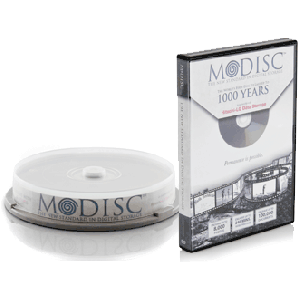
INFO: “M-Disc” & Long-term Personal Archive Storage

September 17, 2012

image

A couple months ago, I popped in a DVD that I’d burned that contained archives of some old data that I wanted preserved.  I had in fact used the disc before to retrieve some data off of it and now, 3 years later, I found myself again, putting it in the exact same disk drive that was used to originally burn it to retrieve even more data.

Disk unreadable.

Wow.  Nothing like having your belief system rocked by a loss of one-of-a-kind data.  I’d always assumed that my data on DVD was going to be good for at least a decade or so… and by then I probably wouldn’t need it any more.  But here I was, with a completely unreadable DVD.  Yes, I tried everything.  Recovery software, other drives, cleaning the disc, blahblahblah.  No use.  The disc has GONE BAD.

Fortunately, I have everything also backed up into the cloud so at least I have that backup even though it would take forever to restore, however I started thinking, “Man – what if this had been my kid’s birth photos & videos were on here and I didn’t have a backup?”

ENTER M-DISC.

M-Disc:  Write-once & Read Forever
You might feel like you’re making a “permanent” backup of your files when you copy them onto a DVD or backup to a computer hard-drive, but the truth is these devices suffer from natural decay and degradation.

Current DVD technology uses organic dyes and low laser power to make marks on the data layer of a standard recordable DVD. Over time, these marks become unreadable because organic dyes degrade when exposed to minimal levels of light, heat, and humidity. This means all the data you thought was safely stored could be lost because the discs you used have an average lifespan of only about 3 to 5 years! Why would you risk your data based on an average; hundreds of discs taken into account in that average were corrupt and unreadable after only a few months. With Millenniata, we don’t subject you to the possibility of losing your data. When we say “Write Once and Read Forever™”, we mean it.

Read more at http://millenniata.com/m-disc/

The whole rig – M-Disc Writer & 50 M-Disc DVD’s – was about $200.  Now I know what you’re thinking:  WOW.  $200 for 200GB in platters and a DVD writer?  Really?  Well, here’s the thing:  Magnetic media fails… Flash media has no long term life testing done on it, and y’never know what’s gonna happen to your data long term in the cloud.

So for my purposes:  Mostly photos… video… music… stuff like that that would easily fit on 4.7GB platters, this makes a lot of sense.  And the knowledge that the data is safely stored for 1000 years on these discs without degradation is comforting. 

Here’s a link to what I bought, and a link to a study that was done on the platter’s durability:


Publishing to Twitter & Facebook… via SMS/MMS messaging

September 16, 2012

imageToday I learned… that data bandwidth on 3G networks suck in Los Angeles because they’re oversubscribed.  This is one of the major reasons the cell companies are pushing 4G so hard… to reduce pressure on the existing 3G networks.

It’s so bad, that in large concentrations of people, you’ll find that basic services & apps requiring TCP/IP DATA networking can completely fail – EVEN THOUGH YOU HAVE “4 BARS” – whereas VOICE services will work just fine.  This is because, as I understand it, digital “voice services” transmission is relatively low bandwidth and executed in a different manner than Digital “data services” transmission, using different channels.

Example:  The Rose Bowl in Pasadena
During UCLA football games, there may be 80,000 people in attendance & the majority of them have phones that operate on AT&T & Verizon.  As a result data services… will… SUCK.  Meanwhile, Sprint users & T-Mobile users will often find their data networks work just fine.  @#$^%.

The bottom line is:  If you attempt to hit up Facebook, Twitter, FourSquare, LinkedIn or any number of other social networks in a location where the cellular towers are over accessed, (football games at the Rose Bowl for example [ahem]) you won’t be able to get anything through, nor will you get a response.  Your apps won’t work, and web browsing is probably next to complete fail.

USING TEXT/MEDIA MESSAGING
It turns out that SMS text messaging & MMS media messaging services operate on the same system as VOICE services, meaning that you can still post updates and pictures to Twitter & Facebook through these services if your data services are failing.

(Note:  I personally haven’t had to use SMS or MMS messaging to communicate with Twitter or Facebook in years since the emergence of comprehensive mobile apps that serve the same function but if data networking doesn’t work, these apps are worthless – hence my “interest” in these services all of a sudden.)

Here’s the text messaging numbers to use when your data service isn’t working:

  • Twitter:  Text message to 40404
  • Facebook:  Text message to 32665 (FBOOK)

I realize that this isn’t news however it’s something to consider when you can’t frickin’ get a data signal from your area.

REFERENCES


INFO: Sony VAIO error – “The installed battery may not be properly connected to the computer or it may not be compatible with the computer.”

September 16, 2012

imageToday, I booted up my Sony VAIO S, which I’ve been in love with for the past week now.  Fast, light, beautiful… it’s got me smitten over my previous computer which is right now in the process of being reimaged in an attempt to make it useful again.  (System crash… may be hardware related.  Don’t know.)

5 minutes into using it, I get the following error message (via dialog box) on the screen:

Caution
The installed battery may not be properly connected to the computer or it may not be compatible with the computer.
Click “OK” to enter Hibernate mode, and remove and reinsert the battery.
See the electronic VAIO® User Guide for more information about using the battery.

The dialog box is always on top and automatically centers itself into the middle of the screen every 3 seconds, making it a true visual nuisance.  There is no way to ‘move it out of the way’ or ‘get rid of it’ and clicking OK will put the machine into hibernation – whether you like it or not.

WAIT…WTF?  LET’S TRACK THIS DOWN.
Yeah, that’s what I said.  This isn’t a cheap PC, and probably 2nd in cost & technology only to the Sony VAIO Z, which is the crème de la crème of Sony laptops and their flagship SKU.  So I got pretty upset at this failure.  How could a brand new Sony OEM Battery be burnt out or faulty already? 

So I open up Task Manager, and click the Applications Tab.  I right-mouse click the “CAUTION” dialog box. and select “GO TO PROCESS”, which takes me to the Processes Tab.  This is where it gets interesting.  There’s a process running called “ISBMgr.exe” with no description other than “ISBMgr.exe”.  Lovely. 

image

So like with most problems I have on my system, I start with more advanced tool, Security Task Manager, and do some discovery around what this ISBMgr.exe program is.  Sure enough, it’s from Sony.

image

I use CCLEANER.EXE to look at what is loaded at start up and lo-and-behold, there’s ISBMgr.exe.  I start to dig into “What the heck is this ISBMgr.exe program?”

“ISBMGR.EXE” – SONY’S POLICE STATE SOFTWARE
My first hint was the comments left by the folks using Security Task Manager, basically panning it as Sony’s own brand of spyware of sorts, designed to compel people to use their accessories & more importantly, their LiIon batteries, exclusively.:
http://www.neuber.com/taskmanager/process/isbmgr.exe.html

If you prefer not to read all that’s in the Neuber Library, the short answer is that ISBMgr.exe is Sony’s nefarious means of compelling less technical users of only using Sony-authorized OEM equipment, accessories & parts, specifically SONY-BRANDED LiION BATTERIES.

But here’s the problem:  I’m using a Sony-branded LiIon battery.  I didn’t eBay some cheap Chinese battery and self-install it on my Sony Vaio S.  This entire Sony unit is a company purchase:  I didn’t buy it on the cheap or anything.  It was actually purchased & sourced directly from Sony.  So what gives?

BUGS!  BUGS, BUGS, BUGS!
It turns out that Sony’s software is apparently, according to forum comments, ‘crap’ and often times misidentifies genuine & authentic Sony batteries as 3rd party clones.  The result is, in an overly aggressive and phenomenally STUPID move, Sony’s own control software forces legitimate & official Sony hardware & accessories to sometimes shutdown.

Of course the resolution is to DISABLE the ISBMgr.exe service on your machine and/or kill it completely if running.

I’m not sure but the software my prevent certain Function Keys from working – like Display Brightness. (Fn-F5 & Fn-F6)  You can however control Display Brightness by pressing “Windows Key-X” which will provide you with all sort of mobile adjustments.

EPILOGUE
Interestingly, I’m not the only one that’s discovered this ridiculous scheme of Sony’s – see below for a list of references I found about Sony’s ISBMGR.EXE program.  (Although, from the makers of such fine “lock-you-in-to-Sony” technologies like Blu-Ray, UMD, BetaMax, Memory Stick, Sony ATRAC Streaming Media format, etc. – I’d expect nothing else.)


“Ooooh. You didn’t get AppleCare?”

September 10, 2012

Some of the comments on these videos are better than the actual video.

Shit Apple Fanatics Say, Part 1

“And Thunderbolt is totally catching on.”

Shit Apple Fanatics Say, Part 2

Another great documentary: "Warren Buffett Revealed: Bloomberg Game Changers”

September 8, 2012

imageHere’s another great documentary called “Warren Buffett Revealed” from Bloomberg, May 4th, 2012 featuring comments from Bill Gates. (48 min)

Warren Buffett Revealed: Bloomberg Game Changers

“Bloomberg Game Changers” profiles Warren Buffett. Now in his eighties, Buffett has – for decades – held an unparalleled position in American finance. He is not only a legendary investor with an astounding success rate, and a billionaire forty times over; he is also – by far – the most respected businessman in America. This program includes interviews with Buffett, Microsoft co-founder Bill Gates, his Berkshire Hathaway partner Charlie Munger, his daughter Susie Buffett, early investor Chuck Peterson, newspaper publisher Stan Lipsey, former Salomon CEO John Guttfreund and Vice Chairman Deryck Maughan, and Buffett biographers Roger Lowenstein and Alice Schroeder. (Source: Bloomberg)

http://bloom.bg/IPwZBy


BBS: The Documentary – Now online in its entirety

September 7, 2012

image[If you don’t know what a BBS is or you weren’t part of the BBS scene in the 80’s, please skip this post because it won’t likely mean anything to you.]

I love documentaries and one of my favorite documentaries of all time was called BBS The Documentary by Jason Scott.  It was a MASSIVE 3 disc DVD set.  I wrote about it back in April 2007 on my personal blog here:
https://kurtsthoughts.com/2007/04/11/bbs-the-documentary-the-arc-vs-zip-compression-war/

Apparently the whole thing is available on YouTube now.  Here’s the first chapter:

BBS The Documentary Part 1 – Baud


The rest of the chapters are linked to below:

If you enjoy the documentary, please consider picking up a copy here.  It’s worth the money for a piece of our history:
http://bbsdocumentary.com/order/


NEWS: Jeri Ryan weighs in on Windows 8

August 17, 2012

I love this.  Garry Holden of http://www.handiware.com.au posted this photo online with the following tweet:

image

7of9

And, God bless her, Jeri Ryan weighs in soon after with this tweet:

image

Wow.  As if Jeri Ryan was beautiful enough.


Thoughts on the War for/against Comic Sans

August 12, 2012

imageUPDATE 3/10/13:  A Word from the Creator of Comic Sans, Vincent Connare
The actual creator of the Comic Sans font, Vincent Connare, writes about the history of the font, and why it was created at Microsoft.  Did you know that Comic Sans was developed specifically for the “Microsoft Bob” product but due to a mishap, it never made it into the product?  It’s an interesting recap from the person closest to the font.

———————-

ORIGINAL POST:
I had a conversation internally at at the company with… well… someone I’d never even met about the ongoing tussle about Comic Sans.  Apparently, there is an entire segment of society that just HATES this font while there is another segment that absolutely adores it.

This is nothing new to most of you I’m certain.  But what’s interesting is the lengths that people have gone to prove their pro/anti Comic Sans stance.  Here’s just some of the items that were brought up in our discussion about the war for/against Comic Sans that I thought folks might find humorous to read through:

  1. The Original “Ban Comic Sans” web site
    The ongoing crusaders to discourage the use of the font
    http://bancomicsans.com/main/
  2. The Original “Comic Sans Project” web site
    The folks that are humorously using the Comic Sans font in anything and everything.
    http://comicsansproject.tumblr.com/
  3. POST: “I’m Comic Sans Asshole”
    An NSFW humorous rant about why Comic Sans isn’t so bad.
    http://www.mcsweeneys.net/articles/im-comic-sans-asshole
  4. BOINGBOING: The Big Reveal about the Errol Morris quiz
    A ‘red herring’ quiz that was given to people about a completely unrelated topic that was actually a study about the use of fonts and it’s affect on people’s opinions.
    http://boingboing.net/2012/08/09/errol-morris-quiz-about-kill.html
  5. NEWS: ‘BBC: Making things hard to read ‘can boost learning’
    A research study that suggests that actually using more difficult to read fonts that lack serifs (such as Comic Sans) can increase information retention.
    http://www.bbc.co.uk/news/world-11573666
    “Researchers found that, on average, those given the harder-to-read fonts actually recalled 14% more.”
  6. POST:  The Font Conference
    A College Humor skit featuring Comic Sans.
    http://www.collegehumor.com/video/3505939/font-conference
  7. NEWS:  Higgs boson and Comic Sans: the perfect fusion
    The hilarious coverage of geeks worldwide dismayed at the use of Comic Sans during the presentation on the discovery of the Higgs Boson “God” particle.
    http://www.guardian.co.uk/artanddesign/2012/jul/04/higgs-boson-comic-sans-twitter

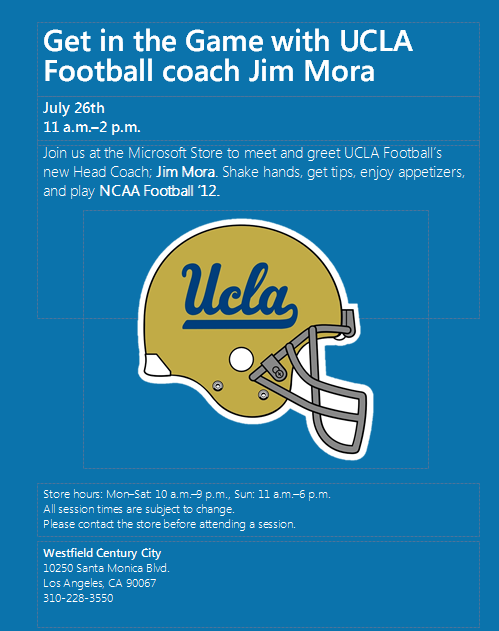
UCLA Head Football Coach Jim Mora @ the Microsoft Store in Century City – July 26th, 11:00AM-2:00PM

July 20, 2012

Two words:  Go. Bruins.

image

Summary:

For anyone interested, UCLA Coach Jim Mora will be appearing on July 26th @ 11AM-2PM at the Microsoft Store in Century City. (http://content.microsoftstore.com/store/detail/Los-Angeles-CA)

Coach Mora will be coaching fans/customers on NCAA Football ‘13 for Xbox 360. There will be a presentation on Coach Mora’s “Count on Me” Family Foundation (http://www.countonmefoundation.org/) followed by an open Q&A. There will be raffles, food and lots of UCLA laptop/Xbox 360 ‘skin’ giveaways.

Event page:
https://www.facebook.com/events/447855625248999/


VIDEO: A explanation of “Collusion” & the Rampant Problem of Behavioral Tracking on the Internet

July 19, 2012

I’ve always hated the overused quip, “Your privacy is an illusion.”  But while it paints with a broad stroke & over-generalizes the issue, there is a hint of truth to it.  This is a TEDtalk that addresses this matter and is one that everyone should to see.  The problem of Internet behavior tracking is very real, affects everyone, and without precautions, is absolutely out of control.

“As you surf the Web, information is being collected about you. Web tracking is not 100% evil — personal data can make your browsing more efficient; cookies can help your favorite websites stay in business. But, says Gary Kovacs, it’s your right to know what data is being collected about you and how it affects your online life. He unveils a Firefox add-on to do just that.

Gary Kovacs is the CEO of the Mozilla Corporation, where he directs the development of Firefox.“

ORIGINAL PAGE:
http://www.ted.com/talks/gary_kovacs_tracking_the_trackers.html


LeapFrog Connect Coupons for FREE Alphabet Stew & The Book of Super Awesome Stuff

July 15, 2012

I was searching the Internet coupon sites and I stumbled upon these two coupons for the LeapFrog downloadable content catalog.  If your kid owns a LeapFrog Explorer or a LeapPad, you’ll wanna check these out as they’re both free and easy to redeem and download.  (As of 7/15/12 they still worked.)

  • imageimageFREE: The Book of Super Awesome Stuff (Ebook, 11MB, $7.50)
    Code: 5813 1140 1518 1413
  • FREE: Alphabet Stew (Game, 2MB, $7.50)
    Code: 5813 0790 4610 4973

Instructions on usage:

  1. Open LeapFrog Connect
  2. Click on “App Center”
  3. Click on “REDEEM CODE” button on the right.
  4. Enter in code.  For example:  5813 1140 1518 1413 to get the Book of Super Awesome Stuff.

You’ll get the item for no charge and the download will begin automatically to your PC which will sync the next time you connect your LeapPad or LeapFrog Explorer to your computer.


LeapFrog Connect: Can’t install Adobe Flash on Windows 7 x64?

July 14, 2012

imageOnce again, Adobe Flash has me baffled.

This time it’s with the LeapFrog Connect, the software that is required to configure & upload software to the “My Own Leaptop”, “LeapPad”, the “LeapFrog Explorer”, among other LeapFrog electronic products for young children.

THE ISSUE:  LEAPFROG CONNECT WON’T RECOGNIZE MY INSTALLATION OF ADOBE FLASH PLAYER
So the LeapFrog Connect software requires Flash.  Fine – during it’s installation it says that it needs to execute the installation.  The only problem is that once the software states that Flash Player is required, it opens up Internet Explorer & sends you to http://get.adobe.com/flashplayer and has you installing Adobe Flash Player 11 or whatever.  After verifying that the player works within the web page by displaying some sort of Flash animation, it returns you to the LeapFrog Connect software…

image…and the LeapFrog Connect software promptly says, “Adobe Flash failed to install properly.  LeapFrog Connect cannot continue.”

THE PROBLEM:  WRONG FLASH PLAYER INSTALLED
I went through and uninstalled, and reinstalled, and then did what Adobe calls a FULL uninstall through a special Adobe Flash Uninstaller program.  But ultimately, it turned out that:

  • I’m running Windows 7 64-bit Edition
  • Windows 7 64-bit Edition has TWO versions of Internet Explorer available.
        • Internet Explorer 9.0 32-bit (x86)
        • Internet Explorer 9.0 64-bit (x64)
  • LeapFrog Explorer uses Internet Explorer 9.0 64-bit & Adobe Flash Player x64
  • 99% of the world uses, by default, Internet Explorer 9.0 32-bit

When a browser opens up, it opens up a 32-bit version of Internet Explorer 9.0 and installs the 32-bit version of Adobe Flash Player.

When you return to LeapFrog Explorer, it is using the 64-bit version of Internet Explorer 9.0 and requires the 64-bit version of Adobe Flash Player.

So naturally, the software thinks the installation of Adobe Flash failed since it still can’t see Flash.  It’s not that Flash hasn’t been installed however… it’s just that the wrong EDITION has been installed.

THE SOLUTION:  MANUAL INSTALLATION OF ADOBE FLASH PLAYER x64
You basically have to manually pop out to the desktop and run Internet Explorer 9.0 64-bit Edition manually and do the installation of the Adobe Flash Player for x64 manually.

  1. Click START BUTTON –> All Programs –> Internet Explorer (64-bit)
  2. Type http://get.adobe.com/flashplayer into the Address Bar of Internet Explorer when it comes up.
  3. Follow the instructions during the installation. (But be sure to not install Chrome or you’ll take 4x as long to complete the installation all just to get browser you don’t really need for this exercise)
  4. You may need to close the Internet Explorer 9.0 64-bit window at some point during the Adobe Flash Player installation (it’ll tell you on the screen) to allow the Adobe Flash Player installer to finish.  This is normal.  Once completed, a browser window should open with an Adobe Flash animation that demonstrates that Flash is now working within IE 9.0 64-bit Edition.
  5. imageGo to the desktop and double click on “LeapFrog Connect”.  LeapFrog Connect should have put a shortcut on your desktop to allow you to run the software.  If it’s not there, go to START –> All Programs –> LeapFrog Connect –> LeapFrog Connect

The software should now run and no longer give you the message that Adobe Flash Player needs to be installed.


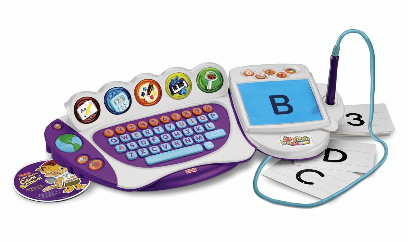
WARNING: Fisher-Price Fun-2-Learn Computer Cool School… only kinda Windows 7 incompatible.

July 6, 2012

imageShort and sweet: 

The “Fisher-Price Fun-2-Learn Computer Cool School” is not technically compatible with Windows 7.

The Computer Cool School device is a learning tool for Windows XP/Vista for children 3 & up.  It’s got amazing software and over 6 expansion modules that are purchasable separately.

SUPPORT SAYS: “NOT COMPATIBLE WITH WINDOWS 7”
Despite searching every search engine known to mankind, there’s virtually no record of any statement about an incompatibility between “Computer Cool School” & Windows 7 on Mattel/Fisher-Price’s web site or in any support documentation.  There’s nothing on any consumer web sites or school tech support sites either.  The only entry documenting this that I could find was on Amazon’s customer comments:

“I was going to buy the product, but I called Fisher Price Customer Relations Dept. first to ask if the product is Windows 7 compatible. According to them, it is NOT. So the product is only compatible with XP or Vista!”
http://www.amazon.com/gp/community-content-search/results/ref=cm_srch_q_rtr/?query=windows+7&search-alias=community-reviews&idx.asin=B0015KVW56

I’ve read a variety of issues about this toy, and still – it’s so frickin’ cool with it’s rich software set, interactive games & sounds – that I really just had to suck it up, pick up a unit, and try to get this thing to work. 

THE PROBLEM:  POINTING DEVICE CONFLICTS
The software itself works – and it works really well.  Better than anything I’ve seen to date.  That’s not a problem.  The Computer Cool School software loads right up on my son’s computer and looks great, automatically changing the resolution, audio comes in clearly, no problems from that standpoint.

The issue for me is that keyboard/tablet accessory that comes with ‘Computer Cool School’ malfunctions.  The mouse pointer rapidly JUMPS all over the screen uncontrollably & the problem appears to be some sort of severe incompatibility with the driver for the Computer Cool School “Tablet” and the built-in touch pointer on my laptop which happens to be a Intel Core2Duo powered HP 8430 using a Synaptics touchpad..  Yes, it’s way overpowered for this kid’s scenario but it’s a spare machine so that’s what I’m using.

My first reaction is, “Well, then kill the tablet.  Have him learn to use a mouse.”  Nope.  Not possible.  The software requires that the keyboard and tablet be plugged in because there are ancillary buttons that are no on a traditional keyboard.

ATTEMPT #1:  COMPATIBILITY MODE
I’ve tried installing the software using Compatibility Mode for Windows XP SP2 & SP3.  (As in – I actually ran the SETUP.EXE in Compatibility Mode to present the appropriately emulated  installation environment to the installation software)  I’ve set compatibility variables for 640×480, disabled high-resolution scaling, run as admin… everything.  Nothing worked.  The mouse cursor jumps around randomly, I assume again due to some sort of conflict with the existing pointing devices.

BTW: I also tried shuttling the native resolution of the screen down thinking that the pointing device conflict had something to do with mapping to absolute screen coordinates

ATTEMPT #2: WINDOWS XP MODE FOR WINDOWS 7
My next attempt was going to be to run the thing in Windows XP Mode or “Virtual PC 2007” in a virtualized session of Windows XP SP3.  Not the greatest solution but it’s better than it not working at all.  I started to download all the appropriate software – some 500MB of virtual machine data along with 2 software packages (whew!) and here’s what downloads were involved:

  1. Windows XP Mode for Windows 7: http://www.microsoft.com/en-us/download/details.aspx?displaylang=en&id=8002 (469MB)
  2. Windows Virtual PC for Windows 7:
    http://www.microsoft.com/en-us/download/details.aspx?id=3702 (16.3MB)
  3. Update for Windows 7 (KB977206):
    http://www.microsoft.com/en-us/download/details.aspx?displaylang=en&id=3248 (3.7MB)

I won’t bore you with the details except to say that this DID NOT WORK.  The issue is that Windows XP Mode/Virtual PC does not support Human Interface Devices (HID) over USB – and the Fisher Price Computer Cool School keyboard/tablet is a HID over USB device.  I learned this only after having installed all of this and then doing research on Virtual PC’s USB redirection support.  Trust me… I was not a happy camper.

ATTEMPT #3: DISABLING POINTING DEVICES
I decided to try disabling the Synaptics Touchpad driver & plug in a small mouse – the Microsoft Notebook Mouse to be exact.  So I tried this by going to Control Panel –> Device Manager –> Mice and Right Mouse clicked the Synaptics pointer and disabled the device.  I plugged in a new mouse and got the driver loaded for it & I rebooted … and lo-and-behold, the Computer Cool School tablet pointer appeared to be behaving & both the mouse & the tablet worked in harmony.

Or was it?

When the tablet was used, it made the mouse pointer shake VIGOROUSLY.  Yes, there’s no longer any jumping around the screen but the pointer ‘jiggled’ rapidly and annoyingly making precision difficult.  When the mouse was used, shaking sometimes occurred.  GRRR.

ATTEMPT #4: Oracle VirtualBox
Remember how Virtual PC/Windows XP Mode doesn’t support USB redirection of HID devices like the Fisher Price Computer Cool School keyboard/tablet?  Well Oracle VirtualBox does in fact support HID over USB.

So I downloaded VirtualBox and installed it, along with a copy of Windows XP. 

  1. Oracle VirtualBox
    https://www.virtualbox.org/

I originally tried to have it boot up the .VHD file from Windows XP mode which is supposed to work but I never got it working.  Anyway, I’ll make this short and say that the experience I had in the VM was identical to the experience I had under Windows 7.  Only slower since it was in virtualization.  Yes, that was a lot of work for the exact same results.

ATTEMPT #5: Using the mouse, shuttling down pointer speed, and ‘hiding the tablet pen’
This might sound stupid but basically I decided that instead of wiping the entire machine and installing Windows XP Professional (which I was prepared to do) maybe I could salvage this by simply getting the mouse stable, keeping the keyboard plugged in, and just letting my son use the mouse.

So I hid the pen.  I move the pen and cabling to behind the keyboard and just stashed it there away from the tablet and a weird thing happened:  The mouse pointer stopped wiggling and everything seemed stable.  It was as if, since the pen was away from electromagnetic fields, everything stablized.  If I even put my hand near the pen however the mouse pointer started acting wonky.

Keep in mind:  The Fisher Price keyboard MUST be plugged in and the tablet/pen interface MUST be connected in order for the software to run.  That’s why we have to keep it plugged in and just “deal” with the tempermental tablet/pen.  In any case, I had my son come over and ignore the tablet/pen and simply use the mouse.  After about 30 mins of using the compromised configuration, I came to the following conclusion:

  1. This will work!  It’s clear that he can learn to use the mouse at the age of 3.
  2. Need to get a smaller mouse.  (I eventually got a microsized mouse for his little hand – http://www.amazon.com/IOGEAR-Optical-Mini-Mouse-GME222A/dp/B000AL7A0C/)
  3. Need to slow down the mouse pointer speed since his motor skills are still weak.  Move the slider for pointer speed to almost the slowest rate.

CONCLUSION:
So that’s what I did to try to get this to work.  I’m sorry if this was a lonnnnng winded way of explaining that the tablet/pen interface has issues in Windows 7 and that the best resolution is to simply move the pen aside and just use a mouse instead… but it was a lot of work and I wanted to a least document everything I did to test these scenarios.

Oh… and one more thing, my dear reader: 
If you made it this far, I have a little surprise for you.  If you’re reading this, you probably have the Fisher Price Computer Cool School purchased already.  If you look online, you’ve probably noticed that there are 10 add on learning packs available in the form of separately purchasable CDROMs including lessons from Dora the Explorer, Super Why, Kai-Lan, Sesame Street, Wonder Pets, Clifford, Super Friends, Scooby Doo, SpongeBob, and Leo’s Dinosaur Adventure.  These are being priced at outrageous prices, mostly $40 each but some like Super Why, as high as $200… but I found someone that will sell them for only $10 each.  So you could purchase all 10 expansion packs for just $100.  Click this link to go there!  (In case the auction disappears, his name is Richard Foster.  His email is djsycoATmsnDOTcom & he goes by the name twidlebug on eBay.)


My Top 10 Reasons to go to Las Vegas – #9 Barhopping & Mixologists

July 5, 2012

I’m a 20 year Vegas veteran and I’m always amazed by people that “hate” Las Vegas or “can’t stay there for more than 3 days”. This puzzles me to no end & I think part of it has to do with the fact that they don’t know what’s there.

So here’s my top 10 things to do while in Las Vegas – with #9 being Barhopping & Mixologists.

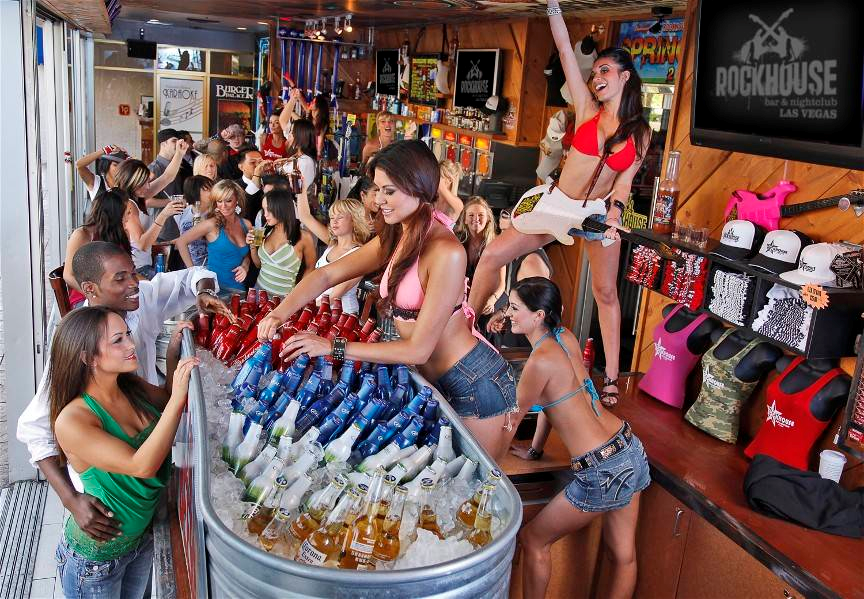
image9. BARHOPPING & MIXOLOGISTS
Besides the bar scene being just laughably entertaining & intriguing, (I met my wife at a bar in Vegas – no joke) it isn’t all about mingling, flirting, and getting drunk.

There are few places on the planet with more skilled bartenders & mixologists than Las Vegas.  Here’s my list of favorite bars in Vegas in no particular order, with a quick explanation as to why I love them.

  1. Center Bar (Hard Rock Hotel) – Watch the game & the ladies, play hand-dealt blackjack along the outskirts of the bar.  And listen as your voice is focused by the dome above you and transmitted directly across the bar – not a joke.  And I’m biased because this is where I met my wife of 7 years.
  2. Vesper Bar (Cosmopolitan) – Not well know, great, experienced mixologists here.  Give them some ingredients you like & they’ll use their wisdom to crank out a great drink for you on the spot.  I love this bar.
  3. Book & StageBook & Stage (Cosmopolitan) – Besides being relaxed, it’s home of ‘Jenny the bartender’ who has garnered some fame from the Five Hundy by Midnight Las Vegas Podcast as being an awesome & highly likeable person.
  4. Parasol Up (Wynn) – People watching.  RICH people watching.  Arm candy all over.  Very entertaining place to play either “just up or still up” or “pro or no”.  And they have a nice cocktail menu here in case you don’t want to make any hard decisions for the day.
  5. imageMIX Lounge (Mandalay Bay) – Best view in Vegas, bar none.  The cocktails aren’t bad and the vibe is middle aged or business.  But there’s still a lot of attractive people here to see & be seen.  And you can slide over before or after dinner there.
  6. Petrossian Bar (Bellagio) – Again, people watching.  RICH people watching.  And it’s front and center to the entrance which used to be famous for collecting working girls below the patchouli glass on the ceiling.  Oh yeah… and there’s CAVIAR to consume.  Just bring your black Amex cuz it’s gonna hurt.
  7. imageRed Square (Mandalay Bay) – With over 200 VODKAS available to try, it’s home of the 4-6PM “CaviHour” special: Buy 4 vodka drinks, get a free ounce of caviar w/ all the trimmings, on the house.  I visit at least once every trip.
  8. Nine Fine Irishmen (New York New York) – If you’re with friends and you like a good stout, this is your joint.  People singing, cold running Guinness everywhere, if I’m at NYNY, I’m here to rest, no quesiton.
  9. Insert Coins (Downtown) – Obviously this isn’t everyone’s taste but downtown there’s a bar that features 80’s stand up video games.  This is my officially designated replacement for Quark’s Bar which was closed when the Hilton shut down “Star Trek: The Experience”.  Bastards.
  10. Ghost Bar (Palms) – The famous & long standing bar atop the Palms Hotel & Casino is a casual lounge with a cool vibe.  Hard to meet anyone here but it’s at least fun.  And the glass floor 50+ floors up over the strip is a trip.
  11. imageMinus 5 Ice Bar (Mandalay Bay) – I poohpoohed this earlier and I was proven wrong.  Great photo ops, ice glasses, warm coats, reasons to snuggle: If you’re with friends, this is a ton of fun.
  12. LaGasse Stadium (Palazzo) – My most frequently visited bar.  Mostly because I stay at Sands Casinos but also because the food is AWESOME here.  It’s a combo bar, restaurant, lounge, sportsbook, whatever.

COMING: “Get a Life!” – William Shatner’s documentary on the passion of Star Trek fans, premiering July 25th on Xbox Live

July 4, 2012

I’m so looking forward to this.

William Shatner’s been working on a documentary about Star Trek fans, the Gene Roddenberry philosophy, and the passion that binds those that follow in his path. 

Named after the famous skit he did on Saturday Night Live, “Get a Life!” will will premier on Xbox Live on July 25th. (The first showing will actually be at the San Diego ComicCon on July 14th – but if you won’t be able to get down there, you can check it out on Xbox 360.)

“Get a Life!”–William Shatner’s Documentary about the Passion of Star Trek Fans

<rant>
On a personal note, I want to personally thank George Lucas for bringing into focus what geek camp I belong to. After years of lackluster Star Trek sequels & pent up demand for Star Wars-anything, Star Trek brought the hammer to the science fiction world with it’s reboot… all the while Star Wars dropped the hammer on it’s disillusioned fans .  Midi-chloriansJar Jar Binks.  NOOOOOOO.  Yeah.  I said it.
</rant>

In celebration of Bill’s documentary finally coming out, here’s the formula for my favorite drink from Quark’s Bar at the former “Star Trek: The Experience” in Las Vegas (R.I.P.) which I had once every year during COMDEX from 1996 until it closed.  If anyone reads this from Quark’s Bar, I LOVED YOU GUYS SOOOO MUCH, and I sat in a chair in the Hilton when I saw that it had all be torn down, and I cried.

LIQUID LATINUM (from QUARK’S BAR, STAR TREK: THE EXPERIENCE, LAS VEGAS, NV)

1 ounce – Midori Melon Liqueur
1 ounce – Blue Curacao
1 ounce – Spiced Rum
1 ounce – Alize Red Passion
Orange Juice
Pineapple Juice

To prepare:
Liquid Latinum is a colored, layered cocktail – so pour your liquors to layer your flavors in this order.

  1. Fill your serving glass with cubed ice
  2. Pour 1 ounce – Midori Melon
  3. Pour 1 ounce – Blue Curacao
  4. Pour 1 ounce – Spiced Rum
  5. Pour 1 ounce – Alize Red Passion
  6. Add splashes of orange juice and pineapple juice to taste
  7. Do not mix – The layers of favors will rest atop on another for a layered variety of tastes.

My Top 10 Reasons to go to Las Vegas: #10 Restaurants & Food

July 4, 2012

I’m a 20 year Vegas veteran and I’m always amazed by people that “hate” Las Vegas or “can’t stay there for more than 3 days”.  This puzzles me to no end & I think part of it has to do with the fact that they don’t know what’s there.

So here’s my top 10 things to do while in Las Vegas – starting with Restaurants & Food.

image10.  RESTAURANTS & FOOD
If you love great food, this is a fantastic town to be in.  Instead of throwing out categories & random places to eat at, I’m simply going to list my all-time favorite restaurants

  1. Hugo’s Cellar (Four Queens) – Food, service, ambiance:  There’s no question that this is THE best steakhouse in Las Vegas hands down.  It’s worth taking a cab downtown for.  And it won’t break your bank.
  2. Andre’s (Monte Carlo) – Arguably the best food in Vegas, probably the best French.  Definitely the best Lobster & Corn Bisque & not off the charts pricey.  I dine here every time I go to Vegas.
  3. Picasso (Bellagio) – Again, arguably the best food in Vegas, possibly the best French.  Every dish is heavenly but you’ll leave much, MUCH poorer.  Service can lag though… y’know those French.
  4. Del Frisco’s Double Eagle Steakhouse (Off strip) – Second best steakhouse in Vegas and I don’t give a damn if it’s a “chain”.  It’s got some of the best beef in Vegas.  Great variety in the menu & not hard to get in, but the ambiance is lacking.  Not a bank breaker either.
  5. ENVY Steakhouse (Renaissance Hotel) – Third best steakhouse in Vegas.  The broiler uniquely knows just how to leave the right amount of char on the beef.  Pricey unless you get the Restaurant.com coupon.  Ambiance is quiet.
  6. Sage (Aria) – The dishes are very creative & flavorful.  The ambiance is gorgeous & tasteful… but when you get the check, it’s gonna hurt.  This is definitely the best restaurant in City Center outside of maybe Mastro’s.
  7. Sterling Brunch (Bally’s) – Amazing but it’s gotten EXPENSIVE.  Only on Sundays, the Sterling Brunch is all you can eat seafood & champagne.  Including lobster, crab, oysters, and shrimp.
  8. Strip Burger (Fashion Show Mall) – Best burger in Vegas especially versus BLT Burger & Burger Bar.  Just the right amount of bun, just the right cooking of the burger.
  9. Nobu (Hard Rock Hotel) – Yeah, yeah.  I know.  But you can’t help but enjoy the scenery & talent here while you dine on what is generally some of the better sushi & sake in Vegas.  Probably the best near the strip & you’ll pay for it too but no one said dining across from ladies wearing negligée was cheap.
  10. Fleur (Mandalay Bay) – Fantastic tapas dishes.  Once a formal dining joint, it’s now casual.  Hubert Keller still knows flavors, but he also knows prices and they ain’t cheap.
  11. Border Grill (Mandalay Bay) – Susan Feniger & Mary Sue Milliken make the best Mexican food in Vegas hands down.  Soooo savory & sumptuous.  I dine here at least once a trip & it’s really inexpensive.  One of my top 3.
  12. MIX (Mandalay Bay) – A former staple of mine, the atmosphere is cold, sanitary like a hospital ward.  The menu however is seasonal & usually quite good, especially the beef.  And this is the best night sky view in all of Vegas.

(I purposely left out Joel Robuchon, Guy Savoy, or e by Jose Andres.  These restaurants are $200-$400 per person minimum and I don’t personally know anyone that can afford this even on an expense account in this economy so why bother listing them, I say.)


The Venetian Casino Marketing comp offers are BACK. (Part 2)

July 1, 2012

Look at this.  This is a photo taken a couple weeks ago:

WP_000269

These are all Venetian/Palazzo complimentary casino offers mailed in the last couple of months.  And that’s not even all of them.  I received two more in the mail just this past week.  Each have a different offer in them and a different redemption code associated with them, all linked to my loyalty card.

But then there’s the emails.  I never really bothered checking until recently but my ‘spam’ email account has quite of a few offers there too. 

Something’s goin’ on.  It was one thing when they suddenly sent 3 comp offers in a week, but it’s another thing when those offers are coming in like a relentless torrent – one or two a week.  I play a fair amount but I don’t play THAT much.


Doggie & Big Doggie

June 30, 2012

imageMy son’s favorite toy is a stuffed dog by Carter’s.  He calls it ‘Doggie’ of course and has been very attached to it, carrying it around the house, daycare, and to restaurants and stuff.

When I was 4, I had a similar “lovey” toy that I simply called, ‘Froggie’ – a green stuffed frog.  One day, I dropped him into the toilet as kids often do.  It wasn’t liked I’d taken a leak or anything… I’d just dropped him in there accidentally.

But instead of washing it, my Mom threw it away.

As you would expect, I completely lost my mind.  My parents wouldn’t budge on the topic for some reason and I, even after ~40 years, asked them about it and they no longer remember the incident… but I do still to this day.  Why?  Because I cried and cried and cried.  I did have other stuffed animals but they just weren’t the same. 

My parents eventually did get me a ‘green replacement’ for ‘Froggie’, which ended up being a larger green beanie stuffed turtle.  It took months but I eventually warmed up to the stuffed turtle after a while, mostly because he was green too and I could more easily make the transition I guess… but I still called him ‘Froggie’.  His eyes cracked and had to be replaced with those “googly Cookie Monster” eyeballs, a tear opened up on his side so the beans and stuffing leaked out which got replaced with dried table rice, it got ragged and lost a lot of the felt after having been washed (why’d they wash this toy and not the original ‘Froggie’, I’ll never know), etc.

But I still have him to this day in my closet.  Yes, I’m a grown man and still have my 4 year old stuffed lovey animal.  As a matter of fact, I showed him to my son a week ago and introduced him as “Daddy’s version of Doggie”.  He nodded.

WHAT DOES THAT HAVE TO DO WITH ANYTHING?
Well, when we discovered that my son took a liking to ‘Doggie’, I set out immediately to find a REPLACEMENT.  ‘Lovey’ toys are very important at that age – after all, every is centered around having a ‘Doggie’/’Froggie’ for kids.  It’s a constant that exists even when Mommy or Daddy aren’t around.  And all that drama in my life could have been JUST AVOIDED if there was another duplicate Froggie available. 

Well, just my luck, CARTER’S DISCONTINUED DOGGIE.  THAT’S RIGHT.  NO MORE DOGGIES ARE BEING PRODUCED.

Eff that.  Amazon/eBay/uBid/whatever – here we come.  I scoured the Internet for aftermarket NEW & UNUSED Doggies.  I don’t know if toy sales folks know what’s up with ‘Doggie’ but the prices they’re asking for are cwwwwaaaazzzy.  Some wanted $50-$60 each.

I eventually found someone willing to sell two Doggies for $35/each.  You might say, “WHA?”  But I say, my son’s worth it.  So plop down $35 for each and have them shipped immediately.

There was a lot more drama that I won’t get into here (the delivery never arrived, I had to buy a 3rd Doggie, we had an eBay dispute, etc. etc.) but the bottom line is that I eventually found myself in the possession of 3 extra Doggies.  YAY!

WP_000352NOT ALL DOGGIES ARE CREATED EQUAL
Yeah, you read that right.

First of all, the official name for Doggie is “Carter’s Child of Mine” Tan Musical Puppy Dog or something like that.  We’ll get back to that is just a second.

One day, Doggie needed to be washed.  Badly.  The problem was that our son had to go to sleep.  So, of course we go to a “backup” Doggie, figuring we’ll just swap him out and while ‘”original” Doggie’s going to the spa, “backup” Doggie will pinch hit/body double in the meantime.

We handed “backup” Doggie (one of 3) to him and he looked at it silently for a bit.  Then suddenly:

“BEEEEEEG DOGGIE.”

Big doggie.  Take a look at the photo above.  He’s right.  The backup is on the left.  After a couple years use, “original Doggie” has gotten smaller than when we first received him and “backup” Doggie was demonstrably fatter and rounder than the original.  This isn’t looking good. 

He then pulled on the rip cord.  It’s supposed to play, “Rockabye Baby” using a music box type mechanism in Doggie’s body:

“Lullaaaaabyyyy… And goooodniiiiiiight… Go to sleeeeeeep…”

OHCRAP.

I’m a sales tech/engineer and I pride myself on being specific about details.  This was, complete epic fail, to say the least.  He looked up at me with somewhat sad eyes and said, “Beeg doggie.”  I kneeled next to him and asked him if he liked Big Doggie.

He looked at it, then nodded and turned around and walked away clutching “Beeeg Doggie”.  He later went to bed still holding him.

WHEW.

————————

EPILOGUE:
I later tested out all the backup Doggies.  They all played “Lullaby & Good Night” instead of “Rockabye Baby”.  He’s had Doggie since he was BORN so I’m not sure that backup Doggie can substitute for original Doggie but we’ll see.  It beats not having a backup I suppose.