
What? You think I’m kidding?
Fail! Teens Trying to Steal Car Stopped by Stick Shift
What? You think I’m kidding?
 1 Comment |
  Uncategorized |
  Permalink
 Posted by kurtsh
What would happen if 10 of the most famous guitar players played Daft Punk’s Get Lucky together? Cover by Andre Antunes.
What would happen if 10 of the most famous guitar players played Mark Ronson’s Uptown Funk (ft. Bruno Mars) together? Cover by Andre Antunes.
Leave a Comment » | Uncategorized | Permalink
Posted by kurtsh
I was a big “Mouse Without Borders” user which was an old Garage tool from Microsoft that is no longer supported or maintained.
MOUSE WITHOUT BORDERS
“Mouse without Borders” essentially allowed you to “extend” the reach of your keyboard & mouse so that you could use one keyboard & mouse for 2 or more computers. For example, if you have two computers side-by-side, when controlling the left most PC, by moving your mouse past your primary computer’s RIGHT edge, it would “continue” from the LEFT edge of the computer directly to the right of you.
This is seamless usage of a single mouse & keyboard is accomplished over the network, wireless or otherwise, and even allows copying & pasting between computers.
ONWARD TO MULTIPLICITY
I’ve since found a few other interesting tools that accomplish similar things with displays. The one I use instead of Mouse Without Borders is EdgeRunner “Multiplicity”, which is NOT free however it is more reliable, encrypts all data over the network, and provides a “KVM” function that also allows you to redirect a remote PC’s display on your primary machine.
OTHER TOOLS:
I’ve tried some other tools as well like Synergy (which is cross-platform but didn’t work for me on Windows 10) and discovered some new ones. Here’s a couple I haven’t tried that accomplish similar display “tricks”.
When I investigate them, I’ll write them up here. Or move this post to “production”.
Leave a Comment » | Uncategorized | Permalink
Posted by kurtsh
UPDATE 8/22/16:
Saw this old post and decided to update it. For a while, I simply chose not to disconnect my slate so I never really noticed if I was still having the Blue Screen problem.
About a month ago, I started removing the slate from my Surface Book and it’s been working 100% fine every since. I couldn’t tell you if it was DisplayLink driver related or some other driver/firmware upgrade that occurred in the past few months, but I can tell you that my slate now separately without incident and I didn’t have to take the device into the shop or get it exchanged.
Which is a relief.
UPDATE 1/13/16:
Apparently, there may be another reason for these blue screens. I’ve been told that if you use DisplayLink (connecting a second display using a USB connected port replicator) the DisplayLink drivers are notoriously bad. And since these drivers exist at Ring 0, and are tied to the USB ports, which are in the keyboard base – and not the display slate, this is something to investigate.
UPDATE: 1/6/16
I forgot that there were a new set of drivers that were released by Intel back in the latter part of December that reportedly fixes a ton of issues including blue screens related to the integrated GPU.
So this may be a resolution as well that I have to investigate.
————————-
ORIGINAL:
 My Surface Book has been crashing with a Blue Screen every so often when I disconnect or detach the slate or tablet component from the keyboard base.
It doesn’t happen all the time. It seems to occur when the Surface Book has been on for a while and I’m in the middle of several activities. If I’ve just rebooted the Surface Book or just turned it on, the slate/tablet disconnects or detaches from the base without any problems.
 POTENTIAL CAUSES:
I hypothesize that the issue is the discrete Nvidia GPU in the keyboard base. I get the feeling that something about the disconnect with the discrete GPU (if it’s in use by an application) makes the machine go belly up.
I’m still researching the problem but I suspect that one of the following things may resolve the issue… but I just haven’t had the time to test any of it but I thought I’d post this here for now while for when I do:
I will post my results later when I’ve tested it.
Leave a Comment » | Uncategorized | Permalink
Posted by kurtsh
OMG. So awesome.
“Make sure your console is turned on by pressing the Power Button. Yes. THE ONE LABELLED “POWER”.”
Leave a Comment » | Uncategorized | Permalink
Posted by kurtsh
Work related posts that I don’t have anywhere else to put:
Leave a Comment » | Uncategorized | Permalink
Posted by kurtsh
Deadpool. My 2nd favorite comic hero. Coming this February 2016.
Now click below to watch the “Rated R” trailer w/out having to login to f’ing Google.
Leave a Comment » | Uncategorized | Permalink
Posted by kurtsh
Managers take note: Money isn’t necessarily a motivator, but rather a representation of of some level of appreciation – the degree of which depends on many factors, not just the size of the monetary award. And worthless made-up awards are the equivalent of “Employee of the Month”. Don’t get it twisted.
This is a great article that delves into the value of true employee appreciation and what you can do to show it.
1 Comment | Uncategorized | Permalink
Posted by kurtsh
 UPDATE 12/27/15:
Just to close out this blog entry, I have had ZERO crashes in several weeks now since “disabling hardware graphics acceleration” within Outlook 2016 on my Surface Book.
So either the problem lurks somewhere with the interchange between using the Intel-integrated Graphics in the chipset and the Nvidia 940M-class discrete GPU… or it has something to do with the Intel graphics alone, which is what I’m betting on because the Intel Display Drivers for the Skylake processor have been less than spectacular requiring multiple driver updates over the past month or so.
In either case, I never need “high speed graphics” within Outlook so… case closed.
UPDATE 12/8/15:
Today, Outlook crashed on me. Twice within 15 minutes. It hadn’t crashed in at least a week of continuous use, but there it is. @!%#$
So I jumped on a theory I had back when I was trying to debug the hardware: I remembered that there’s one definitive link between Outlook & the hardware, and that’s GPU Hardware Acceleration. If you look in FILE – OPTIONS, then click “Advanced” and scroll down the dialog box for a bit, you’ll see an entry there called “Display” with a checkbox value of, “Disable hardware graphics acceleration”.
This afternoon, I unchecked that checkbox in Outlook. So far, no problems. I’ll post back later with my results, if any.
 UPDATE 11/30/15:
Yup. I replaced the Surface Book with a brand new identical unit and lo-and-behold, I’ve been running Outlook without a single crash for the last 12 hours.
I was thinking earlier however that there’s one thing that I didn’t try with my previous Surface Book – not that it matters – but I didn’t try “disabling hardware acceleration” within Outlook. Doing so would remove a major linkage between Outlook and the underlying hardware and may have pointed to a an issue with the GPU (Intel or Nvidia) or the drivers for them.
The reason I thought about this was last night, after reimaging my NEW Surface Book, I installed the downloadable driver pack for Surface Book (~200MB) and after completing the install, Device Manager lit up like a Christmas tree with different components no longer working. Thinking it must be a temporary thing, I rebooted but no such luck. Even the Wireless NIC failed. So I reimaged again and used Windows Update for my source of drivers and everything has been hunky dorey since.
Which begs the question: I used the driver pack previously on my first Surface Book and everything worked fine – except for Outlook. Why’d the driver pack all of a sudden fail so horribly? I guess we’ll never know.
—————
ORIGINAL POST 11/28/15:
 My Surface Book runs great. It’s fast. Windows Hello facial recognition works beautifully. It docks and undocks well. I have some issues with the power button accidentally getting pushed and it turning on in the case I store it in, but otherwise, it’s the best machine I’ve ever owned.
Except for one problem:
Outlook 2016 crashes regularly.
PROBLEM: “MICROSOFT OUTLOOK HAS STOPPED WORKING” ERROR MESSAGES
Every 30 min or so, Outlook 2016 crashes with a “Microsoft Outlook has stoped working” error message. I have it installed through my company’s subscription and despite Outlook almost NEVER crashing on me in any version over the past 10 years. (No joke – going back to Outlook 2003, Outlook has been rock solid for me. Keep in mind however I use virtually NO PLUG-INS outside of Lync/Skype for Business.)
SOLUTION: HARDWARE REPLACEMENT
Then I found the following post. If it’s tl;dr for you, basically the problem is DEFECTIVE HARDWARE:
…did a full reset (reinstall Win10 and Office 2016) This didn’t clear the issue up… a replacement SB was shipped… not seeing the same issue with the replacement.
And honestly, this echoes the sentiment of Outlook-Apps.com, regarding Outlook crashes:
…based on our experience of over 10 years of Outlook related support, we can safely say that most Outlook crashes are actually caused by different reasons: a faulty Windows system (infected by a virus or badly configured) or hardware issues that trigger system-wide errors, including Outlook crashes.
I have a new Surface Book coming this afternoon. I’ll update this post once I’ve confirmed that the issue was in fact hardware related.
But in the meantime, if you own a Surface Book and find Outlook crashing on you, and none of the things above work, it may very well be a hardware issue and you’ll need to return the unit for a new one.
4 Comments | Uncategorized | Permalink
Posted by kurtsh
Interesting food for thought.
In order:
1 Comment | Uncategorized | Permalink
Posted by kurtsh
Best quote ever:
“Yo, come check this OUT. You’ll cry yourself to sleep!”
Leave a Comment » | Uncategorized | Permalink
Posted by kurtsh
The video clip below is hilarious. And what makes it hilarious is that I’ve actually met no fewer than a half-dozen hardcore Mac-o-philes that have actually communicated the same sentiment to me in some form.
In fact, I actually had someone tell me:
“Damn, the Surface Book looks utterly BALLER. Straight up sick.
<silence>
“Screw you and your tasty Surface Book, dude.”
<laughter>
“Now if you guys come out with a Surface Phone, I’m gonna punch someone.”
<laughter>
“Then I’m gonna throw money at you, dammit.”
1 Comment | Uncategorized | Permalink
Posted by kurtsh

My cousins own a shave ice store in Hawaii – you may have heard of it. It’s called Matsumoto’s Shave Ice in Haleiwa and they recently had a grand reopening.
If you’ve ever been to the store, you know that this is dramatically different from it’s old appearance.
It’s pretty much a must-see destination in Hawaii if you’re travelling Oahu. It’s been showcased in dozens of TV shows & movies, and visited by celebrities around the world. (The photos to prove it are on the wall of the store):
Leave a Comment » | Uncategorized | Permalink
Posted by kurtsh
Recently I’ve spent a lot of time listening to Audiobook via Audible while driving. I look forward to my drive time because it’s usually the only time I’ll listen to them. (I hate taking conference calls or making phone calls on the road so this is a great way to pass the time.)
If you like intelligent science fiction, documentaries/memoirs, or dogs… I think you’ll find yourself aligned with a lot of my preferences as well. Check out some of these great audiobooks.
|
|
You’re Never Weird on the Internet (Almost): A Memoir – Felicia Day, Joss Whedon – foreword |
|
|
So That Happened: A Memoir – Jon Cryer |
|
|
Armada: A Novel – Written by: Ernest Cline, Narrated by: Wil Wheaton It’s just another day of high school for Zack Lightman. He’s daydreaming through another boring math class, with just one more month to go until graduation and freedom – if he can make it that long without getting suspended again. Then he glances out his classroom window and spots the flying saucer. |
|
|
The Egg – Written by: Andy Weir |
|
|
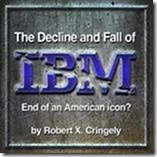
The Decline and Fall of IBM: End of an American Icon? – Written by: Robert Cringely |
|
|
As You Wish: Inconceivable Tales from the Making of The Princess Bride – Written by: Cary Elwes, Joe Layden, Rob Reiner (foreword) Narrated by: Cary Elwes, Christopher Guest, Carol Kane, Norman Lear, Rob Reiner, Wallace Shawn, Robin Wright, Billy Crystal |
|
|
The Martian – Written by: Andy Weir |
|
|
Illegal Procedure: A Sports Agent Comes Clean on the Dirty Business of College Football – Written by: Josh Luchs, James Dale For 15 years, sports agent Josh Luchs made illegal deals with numerous college athletes, from top-tier, nationally recognized phenoms to late-round draft picks. Then, in October 2010, Luchs wrote a confessional article in Sports Illustrated, telling the truth about what he did and didn’t do. Since then, he has taken on a new role: whistle-blowing, truth-telling reformer. In telling his own story, Luchs here pulls back the curtain on the real economy – and the broken system – of college football. |
|
|
The Art of Racing in the Rain – Written by: Garth Stein |
|
|
Ready Player One – Written by: Ernest Cline Narrated by: Wil Wheaton At once wildly original and stuffed with irresistible nostalgia, Ready Player One is a spectacularly genre-busting, ambitious, and charming debut—part quest novel, part love story, and part virtual space opera set in a universe where spell-slinging mages battle giant Japanese robots, entire planets are inspired by Blade Runner, and flying DeLoreans achieve light speed. |
|
|
Home Game: An Accidental Guide to Fatherhood – Written by: Michael Lewis |
|
|
American on Purpose: The Improbable Adventures of an Unlikely Patriot – Written by: Craig Ferguson |
|
|
The War for Late Night – Written by: Bill Carter |
Leave a Comment » | Uncategorized | Permalink
Posted by kurtsh
Um. Seriously. Got Windows 10? Wow.
http://apps.microsoft.com/windows/en-tt/app/1moviehd/4068467f-e1d7-4101-b272-b702653f718e
Leave a Comment » | Uncategorized | Permalink
Posted by kurtsh
 This is gospel. I have heard this uttered by so many of our fresh-out-of-college hires, it’s headshaking. It’s like it became en vogue for self-important, arrogant MBA-types to pull this “It’s my opinion…” line out when they can’t defend their opinion with fact: Only “the way they feel”.
Hey kids: Facts matter. Misaligned conjecture doesn’t.
I have had so many conversations or email exchanges with students in the last few years wherein I anger them by indicating that simply saying, “This is my opinion” does not preclude a connected statement from being dead wrong. It still baffles me that some feel those four words somehow give them carte blanche to spout batshit oratory or prose. And it really scares me that some of those students think education that challenges their ideas is equivalent to an attack on their beliefs.
-Mick Cullen
Read the whole article here:
Leave a Comment » | Uncategorized | Permalink
Posted by kurtsh
Saw this on a board. Posted to share with some specific folks. Please ignore otherwise.
“Both seem to be pretty good people, but not sensitive to the other’s perspective. First off, Daddy Diddy should be the subject of discussion. He went crazy over a small issue his son could have easily absorbed or dealt with.
But the reports are now that Alosi was very hard on Combs and there were two tipping points. He went to the NBA All-Star game with his dad instead of attending a voluntary workout (that others missed.) When he returned, Alosi had a screen shot of him at he game in good seats with his dad and made him work out with others who missed practice while the rest watched and were encouraged to hiss and boo. The screen shot was projected onto a screen or TV during this incident. He called out Combs by calling him worthless, and said he was only there because of his rich daddy and why doesn’t he just quit.
The other tipping point was similar where the day of or before the assault, Alosi went off on Combs in a similar manner and Combs finally said something, which got him kicked out of practice.
I think Alosi was likely trying to motivate Combs, but did so in the exact wrong way. Where he assumed he needed motivation to work, what he really needed was to be treated normally and fit in aside from his father.
I think Combs disregarded the tough love as hate and his Dad went psycho without having a chance to settle down.
The only part where Alosi really looks bad is if he was actually riding him to the point where Alosi clearly wanted him to quit. If he cannot stand people because they are successful, then that is a strange form of reverse discrimination. It reminds me in a sense of how everyone loves for a high first round pick to fail so they can call him a bust, but a seventh rounder everyone roots for.
re: Voluntary Workouts… I heard was that some guys work out on their own and the lesser guys are thrown into this camp. These are called optional in part because there are groups of players who do their own regiment, usually prescribed, but not attended to, by Alosi. The guys who are not the best players are thrown into a big pile and this is that pile. It is like they are the lowest ranks of the military and the others are officers.
They are also optional because the NCAA sets limits on mandatory workouts. Some players study, while others do not. Some guys have tutors for certain classes, others do not.”
Leave a Comment » | Uncategorized | Permalink
Posted by kurtsh
Taken from the Best Friends mailer from Memorial Day:
Dear Members and Friends:
Memorial Day is the time for us all to give thanks to the brave men and women who serve our country. Our service members risk their lives every day to protect the land they love, the family members and friends who love them, and the animals they care for. And standing right beside these warriors are the military animals who are helping to protect our country at home and overseas.
The military puts these animals to use in a variety of ways, but whatever the job, they all serve their country with dignity and pride. That’s why we think it’s so important to honor these veterans both during their working lives and later, when it’s time to retire. Just like the men and women in uniform, these veterans deserve every chance to have peaceful and enjoyable post-service lives, and they deserve our support.
The 2016 fiscal year military appropriations bill recently passed the House of Representatives and included a provision that mandates that all suitable military animals be made available for adoption. It also says that each animal’s handler – the person who these veterans most trust and rely on – shall be given priority when it’s time to adopt. We can’t think of any better way to say thank you to our human service members or the animals that serve alongside them.
The bill is making its way to the Senate and we want to let Washington lawmakers know that we think this special provision should stay in the final version. I’m asking you to help us right now. We’ve made it easy for you to ask your U.S. senators to support section 594. We all know that politics isn’t a spectator sport, so now is the time for us to stand up for our service members (human and animal alike) and show that we’re behind them.
I know that you’ll help us in this effort like you’ve helped so many times before. Please click here to take action. With your continued support and effort we will truly be able to Save Them All®.
Thank you,
Gregory Castle, CEO
1 Comment | Uncategorized | Permalink
Posted by kurtsh
Wanna see a picture of sheer joy?
As found at:
Leave a Comment » | Uncategorized | Permalink
Posted by kurtsh
 Are you a Google Docs user? Do you create PDFs of your content? Hope you like spyware.
When you create a PDF from Google Docs, all links in the document will be automatically changed – without notifying you – to include a Google tracking ID.
Now Google will undoubtedly feign ignorance, disable this at some point later in the future, & promise to never do it again….
This is Google, folks.
———————
REFERENCE:
Link Tracking Warning!
This document was first authored in Google Docs, then Downloaded as a PDF. So, Google has thoughtfully (ha!) added “tracking” redirections to all of the links here. (I have no idea why, but that’s Google.) If that bothers you, simply copy the text of the link into your browser’s URL field.
Leave a Comment » | Uncategorized | Permalink
Posted by kurtsh












 kurtsh
 Kurt's Thoughts