Amazon allows Kindle eBooks to be loaned to others… and I yawn. (Part 2)

January 16, 2011

imageSo I’ve talked about the inequity that exists between physical books and Amazon Kindle’s eBooks.

YEAH, SO WHY ARE YOU BITCHING ABOUT WHAT’S ESSENTIALLY A FREE FEATURE?
Because I WANT book publishers to be successful.  I don’t want to see what happened to the music industry happen to the eBook industry.  Very simply, the plodding & unfriendly manner in which book publishers seem to be adopting digital technology is symbolic of other media industry leaders that just… don’t… get it.

If you don’t make it easy & desirable to buy digital versions of your content and make it flexible enough to use in place of the prior/legacy format, individuals will STEAL YOUR CONTENT.

The book publishing industry is on the precipice of a booming industry – possibly even a revitalization of reading.  I myself rediscovered the joy of reading through my Kindle.  And I will readily spend a LOT of money to acquire eBooks legally and properly.  (I’m up to 22 books & 2 periodical subscriptions)

But I won’t respect anyone that tells me that I have to pay the same amount of cash for an eBook as a physical paperback, yet I can’t loan that book to my friends (one at a time) without restriction. 

Meanwhile it is TRIVIAL to disable the copy protections used to protect Amazon Kindle books from being freely copied.  Add to the fact that each book is generally only about 1MB in size, and you can see how incredibly easy it would be for piracy to occur.

Sure sounds to me like the same situation the music industry was in & how they got decimated by MP3 piracy because they refused to bring parity between digital media & CDs.

ISSUES WITH KINDLE EBOOK LENDING
Now that being said, here’s some things to know about the new Amazon Kindle eBook lending feature:

  • Loans are limited to 14-days
    People that accept loaned Kindle books are limited to 14-day loans after which, the book is disabled on the recipients device and is accessible again on the loaner’s device.  This might be a bit harsh a time limit considering real books have no time limit on them.  Also – what if the book is War & Peace?  14-days just doesn’t seem to cut it, does it?
  • Book unreadable until returned
    The book gets disabled on your Kindle or eReader while the it is on loan.  This is completely fair.  The book is being loaned out to someone else.  You shouldn’t be able to read/use it while someone else is in possession of the book right?  I eBook per person.
  • Only SOME books are loanable
    The book to be loaned as to be listed at Amazon as “Lending enabled”.  This is completely up to the publisher to enable – and most DO NOT, so the actual books this “lending feature” works on is negligible.  For most Kindle owners, they will find that their books are NOT loanable, (none of my books appear to be loanable) which of course ultimately makes this feature completely useless.  But that’s not the biggest problem in my mind.  The next bit is the galactically stupid deal breaker…
  • One single ‘loan’ allowed per book purchase
    Let me repeat that:  You can loan a book out once and only once in your lifetime.  Once the loaned book is returned to you, you will find that you can’t loan it out any more to anyone, period.  Ever.  As if the book were now super glued to you and couldn’t be lent out to anyone ever again.

CONCLUSION
Put simply:  Get to parity soon, book industry.  Really soon.  Because if you don’t, prepare to be looking at losing 90% of your revenues today because the book pirates are going to eat your lunch. 

The music industry took their sweet ol’ time with getting to a customer-friendly means of distributing their product electronically and eventually, they had to resort to unrestricted MP3 because their no one would use their old ultra-restrictive DRM-based systems.  I’m not saying DRM-based systems can’t work – to the contrary, I think they can and should.  But you can’t limit usage unreasonably to the extent that people can’t see the parallels between physical media & e-Media. 

And no value-add that you put on the e-Media versions of your product will compel people to choose it over print.  They’ll simply illegally pirate the e-Media version and purchase the physical version.  If they purchase the physical version at all that is.

eBooks are inevitable.  And the good news is that it’s ultraeasy to get people to buy eBooks if they’re available for purchase in a consumer-friendly medium.  The question will be, “How much money are book publishers going to make off of them?”

————-

References:


Amazon allows Kindle eBooks to be loaned to others… and I yawn. (Part 1)

January 13, 2011

Yup.  Amazon now has a feature for Kindle book buyers that allows some Kindle books to be temporarily shared with other people.

As I mentioned in a previous post, I strip the DRM off any Kindle eBook I buy not for the purposes of file sharing or piracy but to enable me to privately read the eBook on my Windows Mobile 6.5 device – a Verizon TouchPro 2 which lacks a Kindle client.  My TouchPro 2 is a phenomenal eBook reading device and I’ve plowed through a lot of Kindle content on it.

THE EBOOK PIRACY DILEMMA
In theory, I could hand the DRM-free file over to whomever I wanted to “share” the book, but I don’t – that’s piracy & theft.  But the files are .MOBI files (a popular eBook format acquired by Amazon) that are usually anywhere from 500k to 3Mb in size.  Note that this means, most eBooks aren’t even the length of a typical .MP3.

My point is:

While I think this “eBook lending” feature is a good step in the right direction, it doesn’t look like this is going to be very useful any time in the near future.

And when I say it’s a step in the right direction, I don’t mean by Amazon:  I mean by Book Publishers like Harper Collins.   However if they don’t get serious about moving more aggressively in this direction they’re going to find themselves losing 90% of their revenues… just like certain other media publishers.

TRUE or FALSE?:  MUSIC CDS : MP3s :: PAPER BOOKS : eBOOKS
Remember your SAT relational questions?  If so, the above statement should make the issue abundantly clear.  Music publishers, slow – nay GLACIAL – to accept electronic distribution of music as a means of selling music, desperately clinging to old, user unfriendly methods of controlling distribution.

To be clear:  I HAVE NOTHING AGAINST DIGITAL RIGHTS MANAGEMENT (DRM).

I’m not one of these anti-IP protection psychos that rage on DRM 24/7.  I think it’s a perfectly good way to control the distribution of one’s intellectual property whether is music or eBooks.  The problem I have is that legacy physical mediums such as CDs or Paperback books are usable in a variety of contexts that aren’t available in their digital forms and vice versa… yet charges the exact same amount of money for the digital version:  That’s very sketchy.

WHY ARE EBOOKS AS OR MORE EXPENSIVE THAN TRADITIONAL BOOKS?
The claim of course is that there is added value for digital versions that paper books lack such as:

  • scalable fonts w/ word wrapping on pages
  • multi-device installation
  • searchable content
  • text-to-voice on publisher-permitted eBooks
  • last-read-page sync with Amazon
  • tweeting/Facebooking highlighted paragraphs
  • digital just-in-time delivery services
  • downloadable book samples i.e. try before you buy
  • etc.

And on top of all of this, there are the claims that the publishing process of eBooks has costs associated with them above and beyond the engineered costs of the book’s original formatting.  It’s these ‘additional costs’ that negate the cost savings associated with no longer needing physical distribution of paper books.

IT’S JUST NOT VALUE PARITY
Sorry.  I just don’t buy it.  The electronic processing of existing digital master content to create an eBook does NOT cost the same thing as physical book cost-of-goods, creation, distribution, marketing, and warehousing.  There is just no way – I reject that notion completely.  It’s been my understanding that the actual production & distribution of physical product is always the most expensive aspect of producing a book.  Going digital should simply reduce the costs of books – but the publishers control the advertised cost of the book as it’s priced on Amazon.

Additionally, the capabilities are purportedly the value you trade for book sharing, aftermarket reselling, etc. but I just don’t think the value is on par with physical books.  When you buy an eBook from Amazon, there’s a couple of serious ‘gotchas’ you need to know:

  1. IT COSTS THE SAME AS PAPER BOOKS… OR MORE.
    It’s weird but electronic versions of books cost the same OR MORE than their paper counterparts.  Despite the fact that no physical material is involved, the eBook can sometimes cost more than buying a physical book.
  2. NO LOANING TO FRIENDS
    You really can’t loan the book to friends.  Contrary to this announcement, this newly announced functionality is so  doesn’t really exist for all intents and purposes.  (I’ll go over why in Part 2)
  3. NO TRADING BOOKS
    Once you’re done with a book… what good is it?  Reference?  Really?  Like you’re gonna refer back to that copy of Dan Brown’s Lost Symbol over and over?  No.  You want to be able to trade that book or give it away so that it gets a new home and that the investment you made continues to see growth… in the happiness of others that get to read the book on your dime.  But without the ability to gift the book to someone else once you’ve read it?  No dice.
  4. NO RESELLING
    The used book market is LOADED with books that people read and want to sell for pennies on the dollar.  But because the process of stocking and distributing used books is so laborious, it’s difficult to accomplish – even by Powell’s and other large resellers/overstock sellers.  The digital market is perfect for reselling value.  And heck – there could even get a ‘vig’ (tax) on each resale that would be redistributed to both the publisher and Amazon.  Maybe if there’d be a 20% vig on the resale of a $5 book (originally $10 book) that would amount to $1 extra for the publisher/Amazon.  And that resale could maybe limit the capabilities of the used book – no lending.  No bookmarking.  I dunno.  Something to exhibit ‘wear and tear’ on the digital property.

Windows on ARM Processors: Reasons why this is BIG

January 13, 2011

imageI’m no genius when it comes to hardware.  And I should probably state up front that I don’t work in the Windows product group nor do I have any insight as to their roadmap. 

That being said, I’m getting a little tired of folks with few technical credentials declaring “Windows on ARM” a non-starter… that it’s a strike against Intel & that the Wintel monopoly is crumbling… that it’s too late and that Microsoft is irrelevant in the mobile or tablet space.

I gotta laugh at the pundits that casually declare that “Microsoft doesn’t get it”.  I think these armchair experts really do believe in their minds that:

  • Microsoft doesn’t understand that the finger/touch interface is important
  • Microsoft doesn’t realize that the online app store model is important
  • Microsoft doesn’t see the value of consumer friendly hardware
  • Microsoft doesn’t comprehend how relevant the user interface experience is
  • Microsoft doesn’t get how important weight, thinness, and portability are

How about we all just consider that this is all blatantly obvious?  No – it’s more than obvious:  IT’S OLD.  It’s something that’s been known by Microsoft and naturally the “industry experts” for a good while now.  This is not new and should we all just take it for granted that it’s being worked on?  You’d think these folks that live in “media time” (Media time = “Gotta get my copy in by my editor’s deadline”) would just assume that instead of droning on about “why is it taking so long” & “Microsoft doesn’t get it”.

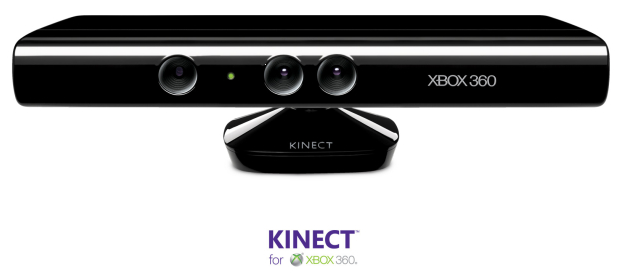
imageKINECT VS WIIMOTE & “GOING WHERE THE PUCK IS HEADED”
Consider another apparently ‘obvious’ market space for Microsoft to engage:  The Motion Gaming industry – i.e. the space previously uniquely occupied by the Wii & the Wii Controller.  What did Microsoft do to compete in this space?  Like Gordie Howe used to say, “I don’t skate to where the puck is now; I skate to where the puck is going to be next.”  Microsoft didn’t just copy the Wiimote like Sony did with the Playstation 3:  It deliberated, made careful decisions, & foresaw the next generation of motion gaming by releasing the Kinect, which has become the fastest selling consumer electronics product in history.

Now it’s commonly held that the Wii is on a severe downward trend.  Xbox 360 for the first time ever outsold the Wii every month starting back in August 2010, I believe.  While maintaining its leadership as the premier platform for advanced console gaming, it usurped the mantle of motion gaming from the previously unbeatable Wii with a single, well-calculated move.

imageWANNA HINT ABOUT TABLET INNOVATION?  IT’S IN YOUR XBOX.
What does all of this this have to do with Tablet innovation?  Simple.  We know that hardware gets commoditized – it gets cheaper as long as there’s competition.  The future lies in commoditized devices where larger production results in cheaper costs.

Take the Xbox:  The Xbox Classic tried to leverage commoditized parts like off the shelf Intel P3 processors, off the shelf Nvidia GPUs, off the shelf hard drives, off the shelf PC components, etc.  The original tact was to use highly commoditized parts to leverage economies of scale and a reduction of cost through volumes.  This turned out to not be so good because there was a ceiling at which volume discounting could reduce the cost of the box’s manufacture.

Everything changed dramatically with the Xbox 360 where the processor was a custom Microsoft design, the GPU was a custom Microsoft design, and all the rights to the processors were licensed from their respective licenses – in this case, IBM and ATI

This last point is incredibly important:  What this did was provide Microsoft with the ability to gradually shrink the size of the CPU & GPU.  This has the benefit of:

  1. Increasing the quantity of chips created per plate of silicon, cutting the price by nearly 50% over time. 
  2. Decreasing the power consumption of each chip, reducing the heat dissipation of the processors and simultaneously making the console more power efficient & minimizing the cost of cooling components.
  3. Ultimately, converging both processors into a single piece of silicon (i.e. 1 chip with CPU/GPU), reducing system support requirements and overall materials costs associated with the most expensive component of the Xbox by another 50%.

This process was essentially borrowed from Sony and the PS2, which is so successful, it’s sold to this day.  Imagine applying the same fundamental “license/cost reduce/converge” concept to Windows tablet hardware.  Imagine:

  1. Licensing the rights to a CPU & GPU design
  2. Producing a custom designed CPU/GPU that’s optimized for power, portability
  3. Integrating additional tablet components into the optimized chip design

DON’T FORGET THAT ARM HAS INHERENT OPTIMIZATIONS
Note that this is all putting aside the inherent benefits of the ARM processor platform itself – being generally better optimized for mobile scenarios.

  • POWER EFFICIENCY – Low power utilization means longer battery life for mobiles
  • HEAT DISSIPATION – ARM processors don’t generally need cooling systems
  • CUSTOMIZATION – Designs can be licensed
  • CHOICE – Numerous ARM vendors means competitive innovation

HOW IS THIS COMPELLING TO MANUFACTURER’S & CONSUMERS?
Easy.  Imagine ARM CPUs… with Windows Embedded in the firmware.  Heck – imagine Windows shipping in the same strike as the CPU.  “Windows Processors” designed by Microsoft, produced by OEMs in the same way that the Microsoft-designed Tri-Core IBM PowerPC processor is for the Xbox 360.  Windows Processors that get firmware based updates that simply override components on chip.  Imagine pricing that’s extremely low since piracy issues are controlled, the license is hardwire-tied to the processor, and the profit from the CPU co-funds the Windows license.  Going a step further, imagine the cost of the OS being completely engineered into the cost of the CPU itself.

Imagine Office ported to Windows on ARM – a specific version for mobile class machines.  Because it’s a new port it can be scaled down for the processing limitations of ARM while being optimized for things like touch, always-connected devices, etc.  Because it’s a different SKU it can be priced differently & attractively without diluting the existing market for Office on desktops/laptops/netbooks.

Imagine the .NET framework being implemented in hardware.  Abstraction is suddenly not a bottleneck and managed code can be run on devices that are specifically designed for managed code – running at breakneck speeds.

Think about the cost advantages.  The development advantages.  The multi-platform code usage advantages.  The market advantages for application developers that have access to ARM & x86/x64 customers.

All in all – the Windows on ARM announcement had much greater implications in my mind that I think much of the media have inferred. 


What’s the deal with eBay bidders with ID’s like x***x?

December 29, 2010

imageI’ve always wondered why it is that when I bid on certain items, I see other bidders with bidding against me with names like x***x or 1***1 or j***3.  I mean, I used to bid against individuals. 

Now I was getting the feeling that I was bidding against robots or automated auction snipers or something… what’s up with that?

IT’S A POLICY THING
Well, after doing some digging the answer apparently lies in a policy change eBay made a ways back around displaying eBay identities during auctions.  In an effort to protect legitimate bidders from other shady individuals who might violate their privacy as a way of influencing the auction process, they started anonymizing people’s eBay IDs during auctions in the auction history after the bid goes above a certain level.

At the top of the bid history page for an auction, it reads:

“To help keep the eBay community safe, enhance bidder privacy, and protect our members from fraudulent emails, eBay has changed how User IDs display on the bid history page. Only you and the seller of the item can view your User ID, all other members will see anonymous user IDs, such as x***y."

In other words, these individuals with x***y have real IDs but they’re just masked.  Not really a big deal.

INTERESTING?  OR UGLY?
The more I read on this topic on the Internet however, the deeper the rabbit hole seemed to go. 

It seems that professional eBay bidders used to study their competition and look at their past histories for what they bought – particularly for determining just how far another person would be willing to pay and whether they really needed the item.  Kinda like a poker game.

Other participants might retaliate against bidders when the get angry over legitimate auction competition resulting griefing, online threats, etc.  Some people sounded like they were actually hunted down by competitors on auctions because they outbid them.

Some sellers specifically list their auction as “private” however the auction is still discoverable during eBay searches.  When people bid on “private” auctions no bidder’s identity is ever revealed, even after the auction is over.

Apparently all this caused a huge uproar a year or so ago – so much so that some people started writing petitions, organizing eBay strikes, etc.

Me?  I just wanted to buy a stupid Tron DVD and just stumbled on all this drama.  Sheesh.


HOWTO: Read Kindle eBooks on your Windows Mobile 6 device

November 19, 2010

imageUPDATE 12/16/11:
I was looking to take my Kindle eBooks on the road, so I also wrote a post on how I took a given chapter of an eBook and printed it for reading on the road.  It’s useful for when I’m reading in environments where the reading material could get damaged – like at the pool, on the beach, or in lousy weather conditions. https://kurtsthoughts.com/2011/01/31/how-i-printed-a-chapter-from-a-kindle-ebook/

———————

ORIGINAL POST:
I love my Kindle.  It’s so easy to read and it rarely requires charging.  It provides me with my newspaper every morning and it’s the first eBook reader in maybe 10 years that I read an entire book on.  (And I have!  Lightweight, easy to read in direct sun, ridiculous battery life… suck on that iPad.)

But the statement above implies that I once read an entire book on ANOTHER eBook reader… which in fact I did.  In 2001, I read the entirety of several eBooks on my Windows Mobile device using the Microsoft Reader .LIT format.  The first book I read was Michael Crichton’s Timeline, which I still have to this day in .LIT format… along with a laundry list of Star Trek books.

WHAT ABOUT TODAY?
Today, the Windows Mobile platform isn’t very useful for using any media that is DRM protected.  There just aren’t readers written for content that has DRM on it.  So the question becomes, “How do I disable the DRM on a given Kindle eBook so that I can read my eBooks on my Windows Mobile device?”  I shouldn’t have to worry about what device I read the eBook on as long as I PAY for the eBook and don’t distribute it to others.

It turns out this is relatively trivial to do for Amazon eBooks for the Kindle.

HOW DO YOU DO IT?
First you want to start by downloading a set of tools:

  1. Kindle for PC/Windows 1.01 Beta
    Using the early versions of Kindle for PC makes this possible.  Newer versions are more difficult to deal with apparently – hence the reason I use the 1.01 Beta which is freely downloadable from FileHippo.
    http://www.filehippo.com/download_kindle_for_pc/
    download/2e24d3f4e48ab7ad69d1e21f46a54700
  2. ActiveState’s ActivePython 32-BIT Runtime
    This needs to be 32-bit by the way even if you have 64-bit Windows 7.  The 32-bit runtime can be installed without a problem – any attempt to try the decryption tools on x64 will result in errors that say, “Could not read from memory…”
    http://downloads.activestate.com/ActivePython/releases/2.6.6.15/ActivePython-2.6.6.15-win32-x86.msi
  3. Apprentice Alf’s decryption tools
    These tools are stored in an archive called “tools_v2.2a” and contain Python scripts that strip the DRM off of .MOBI formatted eBooks that Amazon distributes.  Unpack the contents to a directory called “\tools_v2.2a” – including the directory hierarchy.  I have to admit that despite knowing very little about Python, the power of these scripts that are run in an interpreter is very impressive.  There is no binary code involved in the DRM stripping process outside of the Python runtime engine which should have been previously downloaded.
    http://www.mediafire.com/?8mzrezba1bvmuqd
  4. Mobipocket for Windows Mobile 6.x
    This is a free .MOBI file reader, the format that Amazon uses to publish their eBooks in… except that Amazon’s books are for the most part DRM protected to prevent people from moving content to other platform, which is essentially what we’re doing here but for our own personal use only.
    http://www.mobipocket.com/en/DownloadSoft/application.asp?device=WindowsMobile

imageInstall all 3 tools and then install the Mobipocket software on your Windows Mobile phone.  (Again, as a reminder, the decryption tools should simply be unzipped to “\tools_v2.2a” while MAINTAINING THE FOLDER HIERARCHY IN THE ARCHIVE so that you get the right files files grouped into the right folders)

You’ll want to do a little bit of preparation with the apps configuration before you proceed:

  • KINDLE FOR PC
    Once you’ve installed Kindle for PC, sign in and download the books you have access to.  Test that you can read the books within the desktop reader:  If you can’t read the books on the PC, you won’t be able to decrypt them.
  • ACTIVEPYTHON 32-BIT
    Be sure, again, to run the 32-bit version regardless of whether or not you’re running a x64 version of Windows.  64-bit Python won’t run the scripts properly.
  • APPRENTICE ALF’S DECRYPTION TOOLS
    The directory you’re looking for is called:
    \tools_v2.2a\tools\Kindle_Mobi_Tools\Kindle_4_PC_Unswindle

DECRYPTING YOUR FIRST EBOOK
The “Unswindle” script is called “unswindle_v7.pyw”.  It is a little slow but it will automatically open the Kindle for PC application, then wait for you to open an eBook.  Once you do this, close the Kindle for PC application.  The script will continue.

In the background, the Unswindle script has captured the key necessary to decrypt the entire eBook.  Now that it has that in memory, it can process the eBook, decrypt it’s contents, and write a DRM-free version to your hard drive.  The script will open a dialog box that will ask for the name of the file to assign to your newly DRM-free .MOBI eBook.  Type it in and it’ll save the eBook to disk without any DRM.

That’s it.  The file can now be copied to your Windows Mobile device for reading on Mobipocket.  The Mobipocket software will not necessarily recognize the new .MOBI file on your device so in order to READ the new eBook, simply go to File Manager and click on the .MOBI file.  It will register with Mobipocket and you’ll be reading it in seconds.

WHEATON’S LAW APPLIES
I originally wasn’t going to say this but upon further thought, it warrants reminding people that just because you have the ability to now use eBook content on the platforms of your choice, doesn’t mean you should ever deprive hardworking authors of their livelihoods.  This process is obviously for personal use only & Wheaton’s Law most definitely applies.


My Adventure with the Asus T91MT Tablet Netbook

October 27, 2010

imageI bought a netbook!

It’s a Tablet PC with a multitouch display AND a stylus for handwriting/precision and it comes preinstalled with Windows 7 Home Premium on it.  Built-in Bluetooth, 802.11n, camera, 2 USB ports, 2 SDcard slots, VGA & Ethernet… and 32GB of storage however it’s a Solid State Drive (SSD) so all accesses are lightning fast.  Windows 7 boots up to the Welcome screen in 20 seconds.

UPGRADING THE RAM
Of course it only comes with 1GB of RAM only which is easily upgradable.  I purchased the following 2GB DIMM from Amazon for $39 which is specifically compatible with the T91MT.

  • AMAZON: Crucial Technology CT25664AC800 2GB 200-pin SODIMM DDR2 PC2-6400 Memory Module ($38.99)
    http://amzn.to/9y7s4V

Turn of the device completely then unscrew the back and replace the 1GB DIMM with the 2GB.  When you first turn on the device, hit F2 until a menu appears asking if you want to go to System Setup.  Allow it to do so and from there you should see that 2GB is registered as system memory.  Hit SAVE & EXIT to allow the system to save it’s recognition of the new 2GB memory module.  Let Windows 7 boot which will

OVERCLOCKING THE PROCESSOR
The processor in this thing is a ATOM Z520 clocked at 1.3Ghz.  This isn’t a very fast processor at all.  It turns out that it’s easily overclockable using a simple tool called SetFSB.

SetFSBSnapshot

  1. Download SetFSB (shareware version), give the author $5 for his time, and get a activation key.  No, this will not work with the freeware version.
  2. Disable SuperHybridEngine.  This requires killing the SystemTray tool by right clicking the “AH” icon and clicking EXIT.  It also requires that you remove the SuperHybridEngine service from running.  The easiest way to do this is to download CCLEANER and go to TOOLS-STARTUP then disable the SuperHybridEngine process.  Finally, set Windows power scheme to Maximum Performance / Always on within Control Panel-Power.
  3. Run SetFSB, select ICS9LPR427CGLF (a little more than half-way down the list), click “Get FSB” button, & play with settings.  Setting the values to 260/760 will net you a CPU frequency of 1585.6Mhz and this generally works.  Hit “Set FSB” to apply the new frequency.  Going higher is at your own risk:  If your device freeze, turn it off immediately by holding down the power switch.  If “Set FSB” is successful in applying the new clock speed, hit the “Capture” button to keep this setting in the future.
  4. Download and run wPrime, post results along with clock speed achieved.

[modified version of instructions taken from http://forum.eeeuser.com/viewtopic.php?id=85738]

You can overclock it up to 1.8GHz with high speed memory installed.  Most memory modules will only allow you to overclock to 1.6Ghz before it starts locking up and getting completely unstable.

DOWNLOAD DRIVERS & BIOS
It’s important to have the most recent BIOS and drivers available.  Fortunately, they’re all located in the same area.


A dream turned nightmare: Bethesda Softwork’s Fallout: New Vegas on Xbox 360

October 23, 2010

UPDATE 2/2/11:
I take it back.  This game is NOT rock solid but it’s doable.  I’ve had the game lock up on me a dozen times now, but each time, I’ve been fortunate enough to have had a save done relatively shortly before the lock up.  The lock ups require a complete power cycle on the Xbox 360.

Of course this is insane but this never happened back during Fallout 3.  Really makes me wonder what these dudes at Obsidian were doing while they were busy not testing the game adequately.  Again, I return to the fact that the original Fallout 3 that FO: New Vegas is based on, never had these issues.

—————-

UPDATE 10/28/10:
Well, my bad.  This game has been pretty rock solid throughout with very little issues.  I had one enemy visibly get stuck in a rock and upon dying disappear, meaning I couldn’t collect his loot.  And I had another sequence when I attempted to save and the system froze for 10-15 seconds while I panicked… but then came back and the save apparently took.

Other than these two incidents and the whole “system freezes when you attempt to customize your character”, not much has gone wrong.  I am annoyed by how the list of miscellaneous objects gets REALLY cluttered by playing cards that you find/buy.  It makes navigating an already long list much more difficult.  But whatever.  The game’s been pretty fun so far.

I am a little disappointed that the game didn’t come out of the gate with a really cool playable environment.  In the original Fallout 3, there was Vault 101 and then there was Megaton, both of which were amazing places to freely roam around and visit, with lots of valuable & functional places to enter and engage.  So far FO:LV has NOT done that at all.  In fact, the places I’ve been to around the Goodsprings area and the quests that lead from it are really pretty bland and unappealing.   Primm & Nipton have been areas that are at least sort of interesting but other than that – not much.  I suppose that’s to be expected to some degree since we are in the Mojave desert… but it doesn’t make for fun game play.  I don’t think this is going to get as good reviews as the originao FO3.

—————–
UPDATE 10/23/10:
Alright.  I’ve played the game pretty much all day… and having just come back from Las Vegas myself after a speaking gig at a banking convention, I have to admit:  I haven’t run into any major issues since getting past the character creation issue.  This game, despite my initial rage & aggravation, is wonderfully crafted with a flow so reminiscent of the original Fallout 3, it feels like Fallout: West Coast.

3 things I love:  Fallout, Xbox 360, and Las Vegas… all in a single package.  Yeah, my wife is gonna be a Fallout widow again for certain.  DragonAge?  You’re gonna have to take a backseat for another 6-9 months, assuming the DLC for F:LV is as good as that for F3.

In the meantime, check out this interview with Wayne Newton – yes, THAT Wayne Newton – that plays the Radio Las Vegas DJ on your PipBoy 2000.

VIDEO:  http://www.hotbloodedgaming.com/2010/10/14/watch-wayne-newton-talk-about-the-strip-in-fallout-new-vegas-video/

—————–
ORIGINAL POST:
imageYeah, that title may be a little dramatic but it really does represent my feelings about Fallout: New Vegas, the new game release by Bethesda Softworks.

Let me be clear:  I ADORED FALLOUT 3.  Possibly more than any other Xbox 360 I’ve ever played… and that includes the Halos, Bioshocks, Mass Effects, Half Lifes, Crackdowns, Star Wars Force Unleashed, CODs, Borderlands, Grand Theft Autos, etc. and I’ve played them ALL.  I’m simply not that much of a multiplayer gamer so long-running single player games like Fallout 3 often have me reveling in delight.  But none have captivated me in the same way as Fallout 3.

So you can only imagine how much I was anticipating Fallout: New Vegas!

THE NIGHTMARE BEGINS
I booted the game.  A big patch is required to download.  Fair enough.  I let it patch and reboot the game.  The opening sequence is a bit long and belabored considering all it is for the most part are stills, but I don’t mind that much.  Upon selecting “new game”, there’s a cut scene introducing one to the New Vegas mythos & environment… then the beginning of a character creation sequence where you determine the look of your character.

Upon changing the “race” of my character to Asian… the game suddenly freezes.  Nothing works, not even the Xbox 360 guide button.  I have to stand up and power off my Xbox 360 –not that big a deal mind you, but something I haven’t had to do in a VERY long time.  Not even in beta tests of pre-released games like Halo 3 that I’ve had the opportunity to participate in.  No bother… maybe it was just a temporary glitch.

I reboot and start again.  Again, long intro sequence.  There’s apparently no autosave yet, so again, I start a “new game”.  I hit the character creation sequence and change the race:  Again, the game freezes/locks up requiring a complete reboot.  5 minutes into the gameplay and this thing locks up?  This is getting annoying.

3rd time’s the charm right?  I boot up, new game, hit character creation… locked up.  F#CK.  Time and time again, any attempt to create a character results in a total lock up.  I spend 2 hours trying to get past this sequence and finally give up and go to sleep.

THE NEXT MORNING…
I boot the Xbox 360 up again… game intro, new game… but this time before I even get to the character creation sequence the cut scene with the ‘doctor’ right before character creation freezes.

OMFG.  This is getting worse by the minute.

I power off the Xbox 360 and eject the game.  I try the game on my 2nd Xbox 360 – yes, I have several 360’s in my home – and I get the exact same freeze during character creation.  This is clearly an reproducible issue – one that Obsidian/Bethesda/whoever never bothered to test.

SUCCESS… I THINK?
I finally return to Xbox 360 #1 and try something:  I run though the game until character creation… THEN QUICKLY SKIP THROUGH IT ACCEPTING EVERY DEFAULT ASPECT.  (Caucasian, random face, etc.)

BAM.  I’m in. 

The only problem now is, I don’t trust this game as far as I can throw it.  Fallout 3 was near perfect for me.  It never FAILED or locked up like this.  Sure, there were some glitches here and there, but never anything this catastrophic.  I’ve now read about folks that have lost their autosaved games… folks that have had to revert to previous saves… etc.  Who wants to invest 6 months of exploration in a game that could very well nuke all your work?

PARTING WORDS
Bethesda… I adore your work.  I’ve defended the Gamebryo engine as being the least important part of Fallout 3 and preached from the top of the mountain the value of great story telling and immersive dialogue. And I realize that Obsidian did the work on this 2nd release…

…but ultimately y’all are the one’s responsible for the game’s quality as it’s published.  Simple two words:  EPIC FAIL.  You have an opportunity to redeem yourselves over the next month or so with a persistent stream of patches and I really hope that you get it right, because this initial impression was VERY disappointing and tainted my view of you as the Gods of first person sandbox gaming.  (You guys dropped in my mind to TakeTwo’s level… which is good company to be in, but I thought you were much better than them.)

As a software publisher myself, I understand how hard it is to get things right at launch, but locking up on something as basic as the introductory character creation demonstrates to me that your testers really didn’t do a very good job.  I worked as a Software Test Engineer for many years and I know how hard the job is, but there’s got to be contractors that do regression testing for areas that people don’t want to repeatedly test between releases and it’s clear no regression testing was done for character creation… and that’s just bad process – it really is.

Whatever happened to simply beta testing?  If you did do a beta test… who the hell were your beta testers?  Was a it a group of rabid, undisciplined chimps?  Because they didn’t do a very good job for you.

After many months of waiting, I’m just very disappointed, Bethesda.  But this entry will remain editable and I hope to update it with better news in the upcoming months.


Things that have surprised me about the 3rd gen Kindle (Part 2)

October 10, 2010

imageSo this is the continuing saga of the things I’ve discovered that are interesting about the Kindle that the average person probably has no idea about because they don’t really talk a about these things openly. 

Y’kind of have to dig through the docs to see some of this stuff so instead, I’m writing about the stuff that I personally would have never been able to find out about the device had I not gone out and bought one.   Some of it is good… some of it is bad.  But all of it is hopefully helpful to someone that is curious a bout the device’s capabilities and the policies Amazon has on it.

  1. Microphone
    There’s a microphone on the Kindle.  It’s on there… but it’s totally unused.  I assume some future firmware update will enable it to work with things and make it a recording device orBut as of right now, despite no one knowing it’s there, it’s on there but totally useless.  I wonder what they’re waiting for:  It’s not like a recorder would  be all that difficult to write.
  2. Visible as a USB-connected hard drive
    While this might not seem like a surprising thing, considering the difficulty with which many Media Player devices handle USB I/O – iPod & Zune for example – I was surprised to find that the Kindle is just USB storage to my Windows 7 computer.  It makes copying media files, documents and PDF files for reading/playback on the device simple and easy.And since it has Audible playback capability, I can really see using this as my “all-literature-all-the-time” device.  Periodicals, eBooks & audiobooks – all on one device.  And speaking of periodicals…
  3. Autodelivered periodicals & magazine
    It was never my intention to subscribe to the likes of the Los Angeles Times.  I actually don’t like the paper much and think their writers are liberal-biased hacks that mostly originate from USC’s School of Journalism mainly because of USC’s nepotistic network of elbow-rubbing employers & prospective graduates.[ks – The aforementioned paragraph was written in jest and designed to see if a certain individual was reading this post.  Although, it’s true that I don’t really like the LA Times Kindle edition – see below.]

    But dammit, if it’s not easy to LOVE the fact that the newspaper is automatically delivered to my device in the morning for me to read with my coffee.  There’s no paper to go get on the porch.  There’s no worry about missing sections or the paper getting wet when it rains.  There’s no paper piling up waiting to be taken downstairs for recycling.  It’s just there.  And you can bookmark it, have it read to you via the Kindle’s text-to-speech thingy, etc.  Good stuff.

    Now there are TWO big complaints however.  One is that some lame subscriptions like the LA Times don’t include ANY photos of pictures whatsoever however they charge you more than the actual paper subscription price for the Kindle delivery.  And the second is that cost.  The price of a Kindle subscription is TWICE that of paper delivery if you use your typical coupons and discounts.  No such discounts exist for the Kindle version which sucks. 

  4. imageBlogs Delivered to your Kindle…
    …but only the ones they support…
    …for a fee.
    Yeah… this was a classic moment where I transitioned from “OMG! How cool is that?!” to  “What. The. F-ck.”The Kindle is capable of receiving blog/website content and it looks like they simply scrape the RSS.  Alright, that’s cool.  I’m thinking that I can read my OPML list of RSS feeds on my Kindle with its highly readable, easy-on-the-eyes screen and have it auto-delivered, just like my Windows Phone does using Ilium Software’s RSS reader, Newsbreak.

    Oh, but not so fast.  You can only read blogs they publish off of Amazon.com.  I sh-t you not.  They only let you subscribe to well-known blogs listed at: http://www.amazon.com/Blogs-Kindle-Sports-Industry-Internet-Technology/b?node=401358011

    Yeah, okay.   So that blows.  But still, it’s a cool feature.  I mean, I read TechCrunch.  And Ars Technica.  And crap like that that are in fact published on the Amazon list above.  So why not take advantage of the feature, right?

    Again, a showstopper:  Each blog COSTS MONEY monthly to get on your Kindle.  TechCrunch for instance costs $1.99/mo to get on your Kindle.  Slashdot is $1.99/mo.  Ars Technica is .99/mo. etc.   All to receive content that is otherwise FREELY AVAILABLE ON THE INTERNET.  And it doesn’t matter if you get this stuff over WiFi or over Whispernet/3G:  You’re gonna get charged.  Uh… that’s just DUMB.  No thanks, Amazon.

  5. Device-to-device synchronization to share booknotes/highlights
    This is again an interesting feature.  Basically you can synchronize booknotes and highlights between two different Kindles over Whispernet/WiFi by synching with the cloud and then replicating those notes down to other Kindles. So let’s say you want to collaborate on a book report.  Or you want to share your thoughts with another reader before they read the book themselves on their Kindle.  Or maybe you all belong to a book club.  This is a great way to share thoughts about a book amongst multiple people.
    https://www.amazon.com/gp/digital/fiona/manage/sync?ie=UTF8&ref_=kinw_myk_sl_01

Things that have surprised me about the 3rd gen Kindle (Part 1)

October 9, 2010

imageI just bought a Kindle.  And for the most part, I like the experience.  I also like geeking out on new crap like this so I suppose it would make sense that I’d be excited about a a new gadget seeing that I haven’t had any new gadgets in a long time. 

THE READER THAT’S VIEWABLE IN DAYLIGHT… BLAH BLAH BLAH.
Amazon likes to evangelize the fact that the screen is clearly viewable in daylight.  And they’re absolutely right:  The screen is virtually the same experience as reading paper.  As a matter of fact, when I first opened the box, I’ll admit I’d never seen a 3rd gen Kindle and thought the pictures on the screen were an actual “peel away sticker”:  It’s THAT legible.

But I’ve found that the Kindle has a lot of interesting surprises that aren’t advertised – some bad, but most good.  They may be obvious to some but I wasn’t aware of them before having bought the Kindle. 

So here’s the 1st part of my list of “Things that have surprised me about the 3rd gen Kindle”:

  1. Document conversion & delivery via eMail 
    Again, I didn’t know about this but each Kindle is given it’s own private email address.  (With restrictions on who mail is accepted from)  Mailing documents to this email address will automatically get the document onto your Kindle in a Kindle-readable format.  If it requires conversion so that it’s in a format that the Kindle can understand, it will do so so that it is viewable on your device. (.DOC, .XLS, .PPT all need to be converted, PDFs do not)
  2. $CHARGES$ for document delivery of Whispernet/3G
    This was a BIG surprise:  If your device receives a document over Whispernet (3G Cellular connection) Amazon will charge you’re a service fee at 15 cents per MB for the document.  If the device receives the document over 802.11b WiFi however, there is no charge.

    By default, every device will receive documents over Whispernet for charges up to $2.50 per document.  You can see how this would add up if you’re not careful and let the document get transferred over 3G.  There is no feature that restricts document delivery to just using free WiFi-based delivery, thus eliminating the possibility of getting charged. 

    PRO TIP:  If you go into the following link and set the maximum monetary charge allowable for documents delivered to your Kindle to $0.00, you can effectively prevent documents from ever being sent over Whispernet, while still allowing your Kindle to receive documents over WiFi for free.
    http://www.amazon.com/gp/help/customer/display.html?nodeId=200505520&#fees

  3. Automatic dictionary definitions
    Perhaps I never paid attention but if you move your cursor in front of any given word, the word’s definition appears at the bottom of the screen care of the Oxford Dictionary, or any other dictionary you ‘plug in’ to your Kindle.  (It comes with two dictionaries by default.)

    Color me surprised, but this could make the Kindle the greatest learning tool ever for kids K-12.  I used to carry around a 100,000 word electronic dictionary when I was younger just to help me learn vocabulary when I didn’t know the definition of a word.  Now… it’s automatic.  Fantastic.

  4. Games & applications 
    I haven’t seen a LOT of these but the Kindle actually supports independent apps that Amazon sells on their web site and delivers via Whispernet just like a purchased eBook.  Here’s a list of some of the one’s I’ve downloaded to my Kindle.
  5. Post book quotes & links to pages via Facebook/Twitter
    If you set up your Facebook account or your Twitter account, Kindle will automatically post your bookmarks or specifically highlighted content to Facebook/Twitter.  If it’s a book, it will even point users to the part in the book ONLINE that the quote is taken from or the page you’ve bookmarked.

    For people who read the same book at the same time, that’s pretty f’ing neat.  The level of reading collaboration that this provides is cool because while it might not be useful for you if you’re not reading a book with someone else (or know others that are interested in the book you’re reading)…

    …this is REALLY important for kids doing school work.  Imagine reading a book that a class of 40 other kids are reading and being able to tweet to your school mates specific paragraphs for others to note.  I remember breezing through books and missing huge chunks of information that other’s with better comprehension might have gotten.


$%&@! Total audio loss on a Bose Lifestyle 28 Audio System! (WHAT TO DO)

August 22, 2010

imageToday, I turned on my 65” big screen to kick some butt on my Xbox 360 only to discover…  NO AUDIO.

  • Okay.  Maybe it’s the Xbox 360, being that I’ve been testing a bunch of expirimental stuff.  I changed to the DirecTV signal.  Nothing.
  • Maybe it’s the AC3 optical audio connections to the Lifestyle receiver.  I changed to the built in FM receiver directly on the Bose system.  Nothing.
  • Maybe I can power it off and power it on and get it goin’.  Nothing. 
  • Maybe I can unplug it, plug it back in,  and let it “reset” itself".  Nothing.

F-CK. 

SOLUTION FOUND:
Bing to the rescue.  I searched online and found a guy in a stereo discussion forum that said he called Bose about this exact problem. 

They gave him the following instructions:

  1. Unplug the Zone 1 digital audio cable from the back of the Lifestyle system.
  2. Unplug the power cable from the back of the Lifestyle system.
  3. Wait a couple minutes.
  4. Replug in the audio cable, then plug in the power again.  The system will do a reset then power off again.
  5. Push the ON button.  Audio should be restored.

Yes, this worked – thank God.  I bought this monstrosity back in 2002-2003-ish and it set me back nearly $5000 back then so to have the thing go completely tits up 7 years later is just frankly unacceptable considering I’ve had much cheaper audio systems for LONGER than that with arguably better sound than this Bose configuration. 

(Not to mention the controller is RF managed meaning that it can’t be managed, controlled, or aggregated by any other 3rd party remote:  The Bose MUST be the center control for all your Entertainment equipment, or you need to keep two remotes all the time.  Stupid Bose.)

…just thought the Interwebs should know:  This is the solution for what appears to be a fried Bose Lifestyle 28.


How Conan Got Over The Loss Of His Talk Show

July 2, 2010

Shamelessly stolen from Kotaku who shamelessly stole it from G4TV:

image

Conan O’Brien explains how he got over the loss of his late night TV show.


7 Things Microsoft Xbox 360 Kinect can do that other Motion Controllers & Camera-based Devices Can’t

June 22, 2010

imageI keep seeing people ask the same question over and over again:  “What can Kinect do that current motion controllers & camera-based devices can’t?”  So here’s a list for folks to start from. 

  • Z-AXIS TRACKING
    Kinect has depth perception – a result of is multiple camera lenses.  Unlike the Sony Eyetoy which can assist in capturing 2D movement along the X & Y axis, Kinect can capture movement and imagery in 3D along X, Y, and Z axes.  Additionally, it captures actual movement, acceleration, & position changes relative to the camera & other players in all 3 dimensions.
  • IMAGE RECOGNITION
    Kinect can recognize and understand the difference between physical real world objects like skateboards, tennis rackets, and other items that might be used in game play by matching patterns in real time using its on-board CPU.  Taking image scans, loading them into the device’s memory and transferring these images for remapping to items in-game via bump mapping is trivial.
  • FACE/PROFILE RECOGNITION
    Kinect’s built-in software provides online/profile authentication using facial recognition and a simple hand gesture (a wave) that Kinect uniquely recognizes.  Through its algorithms, it can also recognize people as important control objects distinguishing them from furniture and other items in the home through shape identification algorithms and heat mapping.  Most importantly, through heat mapping and other visual characteristics, Kinect can differentiate between players despite overlapping each other (one standing behind the other) or changes to their position relative to Kinect; i.e. swapping sides does not impact Kinect.
  • SIMULTANEOUS ARM/LEG/HEAD TRACKING
    It’s one thing to recognize the difference between a sofa & a human.  It’s another thing however to accurately identify movement of one’s arms & legs to ensure realistic game play.  Kinect does this:  Kids can’t line their bodies up and combine their visual profiles to fake Kinect out.  It also tracks the movement of all arms & legs simultaneously to ensure the player is executing dance moves in total, forming the correct shape with their bodies in Yoga games, kicking one enemy while punching another, etc.  Additionally, when your head turns to the left, Kinect is smart enough to know that you want to see more of what’s on the ‘left’ of the screen and can rotate it, as if you were scanning the cockpit of a car.
  • ON-DEVICE COMPUTATION
    This is a technical detail but an important one:  With Kinect, all algorithmic/compute-intensive work is done on-device through its own CPU, memory, and software-in-ROM and does not requires the usage of the Xbox 360’s resources (such as the CPU or GPU), allowing the console to dedicate its resources exclusively to the game itself, rather than the player’s movements, their interpretation & recognition.  Kinect does NOT burden the This is one of the reasons for Kinect’s current cost.
  • VOICE RECOGNITION
    Kinect’s on-board microphone provides a 4th dimension of control:  Voice.  Through vocal recognition software, Kinect is able to, without any training, comprehend commands and differentiate between player’s voice patterns.  Call out commands, change strategies & tactics, order computer controller players… all without pushing a button or moving a limb.
  • INFRARED OPTICS
    Recognizing player identities & movement regardless of light differences is something unique to Kinect.  It’s infrared camera provides accurate player tracking & movement even when the lights are turned out during a Netflix movie, a game of Alan Wake… or the upcoming Silent Hill.

More on Kinect from Microsoft’s press/media area:
http://www.microsoft.com/presspass/presskits/xbox/videogallery.aspx?contentID=360_kinect


Thoughts on Xbox 360 Kinect & Why It Represents a Revolution in Gaming

June 22, 2010

image I’ve seen a lot of criticism of Xbox 360’s Kinect device & it’s launch titles, saying that ‘it’s all been done before’, ‘Microsoft is just copying Nintendo’ and ‘Kinect doesn’t represent any new innovation in gaming’.

Frankly most the articles I’ve read bug me.  The majority of the opinions I’ve seen are really shallow, fly-by-night judgments made by people that have very little understanding of the device, what it does relative to the competition, and the potential it has.  I might argue that we failed to clearly communicate the device’s potential but can’t we assume that folks MIGHT do some thinking on their own besides just reading the ‘press guide’?

Here’s a few points that I think many journalists seem to be missing:

  1. KINECT LAUNCH TITLES ARE “MANDATORY”
    It’s important that people realize that Kinect’s 15 launch titles are ESSENTIAL to establishing a foothold in the ‘motion gaming’ space… but it’s just the start.

    If Microsoft failed to launch the equivalent of Wii Sports, Wii Fit, Mario Kart, etc., we’d be criticized for “still not catching up with what the basics of what the Wii has”.  Instead, Microsoft produced a few fundamental titles that essentially provide the same casual gamer ‘motion controlled’ experience as the Wii… and now we’ve been subsequently criticized for “not innovating enough” beyond the current state-of-the-art? 

    Let’s get this straight:  Microsoft is releasing all the ‘full motion gaming essentials’ with these 15-games at launch as a first step… not necessarily to produce any "transcendent" titles. (Although as you’ll see in bullet #2, I believe that certain Kinect launch titles do in fact transcend the current Wii experience)  We have many more years of gaming to accomplish that, since we own the patents on Kinect’s technology.

  2. CERTAIN KINECT TITLES DO TRANSCEND WII’S GAMES
    Having been at E3 & played for an hour or so at the Microsoft booth, I would make the case that AT LAUNCH, "Dance Central", "Kinect Adventures", "Your Shape", & "Kinect Sports" are in fact major evolutionary steps beyond what Wii has presented to date. 

    Why?

    1. "Dance Central" accurately recognizes head, arm, leg, body, hand, and foot movement in 3D & in real time, while requiring the player to hold nothing in their hands.  In comparison, the movement tracking that happens makes the Wii’s "Just Dance 2"  waggle-dependent game play look kind of last gen.  I waggled my way through an entire JD2 game without breaking a sweat; something that’s impossible to do on Dance Central.
    2. "Kinect Adventures" again leverages body, arm & leg movements to capture coins.  It’s like playing a frenetic upright game of Twister, holding your arms, legs, and body in positions that match the coin patterns coming at you.  This games reminded me of a game of basketball:  I was so focused on the game play, I didn’t realize until the end of the game how exhausted I had gotten after repeatedly playing.
    3. "Your Shape" is an easy title to applaud.  Every student of yoga recognizes the importance of establishing the right pose & maintaining it for the correct amount of time and Your Shape is the first title to accurately monitor this, making other Wii titles very deficient in comparison.  And having played the game, I can tell you that any lag one might predict would be in a sensor based game is unnoticeable in play however it was commented by a worker in the ‘capsule’ I was in that the games all are beta test quality with a ton of performance optimization left to on them.
    4. "Kinect Sports" is just flat out aerobic.  Foot work, arm work… and most of all, jumping, are all items that drive competition.  This game will be exhausting to kids who will undoubtedly like it because, among other things, it appears to automatically handicap stronger players to "even the score" allowing the 16 year old to play with the 12 year old.
  3. KINECT’S FUTURE HASN’T YET BEEN EVEN REMOTELY TAPPED
    This is just the beginning.  Gaming with Kinect is simply starting off by tapping the casual gamer however there are many directions in which Kinect based gaming can go to enhance the gaming experience.  Some people can’t understand that Kinect doesn’t have to be at the center of all gaming; Kinect can augment other game types to provide even more powerful & realistic controls during game play.
    1. Have you considered FPS games with head-tracking?  Lean to the left to peek around a wall and fire?  Lean back to hide/cover?  Get ready for this scenario because the Kinect product managers on the E3 floor verified that this exact scenario is in the works.
    2. Have you considered games that capture body motion while you hold the existing Xbox controller?  Capture voice commands during the game to initiate changes in tactics or strategy?  Tom Clancy’s EndWar was one of the first titles on Xbox 360 to do something like this but they had to engineer voice instruction into their game.  Now imagine EVERY title have voice command capabilities with little to no effort on the part of the game developer.
    3. Have you considering titles using single-handed wireless controllers?  Like say… a light saber-esque controller with a thumbstick for player movement and hand/arm gesture for other abilities… like ‘Force’ push.

Kinect has a VERY bright future.  It’s just too bad few journalists have given very much thought about the true potential of this gaming technology.  I hope they come around.

(If anything… I think the problem Microsoft will have is that people with carpeting with start to wear out the area in front of their TVs because of the constant foot traffic in the area.  I predict a heavy aftermarket industry for carpet protectors to be paired with Kinect sales.)


In Search Of… the recipe for Marina Del Rey’s “Killer Shrimp” (Part 6)

June 13, 2010

The more I experiment with this supposed recipe that’s been floating around the Internet at AllRecipes.com and other locations, the more I’m convinced that it’s WAY the hell off base.  People seem to think that the Internet is the source of all truth without realizing that it only contains the information that other people WANT you to know.  It just goes to prove how, much like Wikipedia, the Internet is full of truthiness (information that ‘feels’ true but has no fact to back up it’s claim) but often very little actual truth. 

In any case, nothing much to report because I got really sick due to some packaged goods that gave me food poisoning that had nothing to do with Killer Shrimp.  (Damn you Munchos!  Damn you to hell!)  But a couple things arose in my quest for “Killer Shrimp” I thought was notable:

————

killershrimp-logo KILLER SHRIMP… IN CHICAGO?!?
This is no joke.  Apparently, the owner of the original Killer Shrimp chain moved to Chicago.  Bastard.  And he’s opening up a store there this summer.  No one seems to have details however other than, it’s in Chicago, and it’s happening this summer.

Yes, this is the original Killer Shrimp.  Along with the original Killer Shrimp logo.  Here’s the front end web site that they’ve set up for the new restaurant:

Great.  So he closes up shop in Studio City & Marina Del Rey to open up in Chi-town?  Sorry.  I can’t get behind that at all.  Oh who am I kidding.  I’ll probably fly in just to get a sample of the broth to retest against my current formula/recipe.  Thank God for United Frequent Flyer miles.

————

image JACK SHRIMP… BROTHER OF THE KILLER SHRIMP GUY
The other thing is that there’s a place in Newport Beach called “Jack Shrimp” which has a broth reportedly identical to that of Killer Shrimp.  The reason is, “Jack Shrimp” is run by Jack Jasper, the brother of the guy who ran “Killer Shrimp”.

The story, according to my friend Stephanie and this LA Times news article, is that Jack’s sister & a partner took their grandmother’s recipe and opened up the Killer Shrimp chain – strictly selling shrimp broth and only shrimp broth.  Meanwhile, Jack set up his own restaurant in Newport Beach diversifying the menu.  If it’s true, and the same recipe is used at both locations, this could be a boon to figuring out what the recipe is.

Hey – it beats flying to Chicago.

————

SHRIMP/FISH STOCK?
My friend, Steph the wonder cook, brought this up a few months ago and I only remembered it today when I was parsing through some old Chowhound threads.  I found a mention of the inclusion of “shrimp or fish stock” in a Chowhound post the other day which might provide that all important “savory” taste that I think is still missing.  Only one question remains:  WTF is Shrimp/Fish stock?

I’ll give this a try once I figure out what it really is and how much to start with.

And for what it’s worth – the creation of this broth is such a laborious task that I actually don’t think that researching and publishing the recipe is that much of a concern to the restaurants that use it.  The dish isn’t that expensive but the cost of preparing it in time and labor is huge.  While the overall cost of goods isn’t high, you really have to make it in bulk for it to be worth one’s time which is why doing it as a restaurant dish as opposed to a home-cooked dish really makes a lot of sense.


Something about this Venetian Casino invite makes me laugh hysterically

June 9, 2010

image

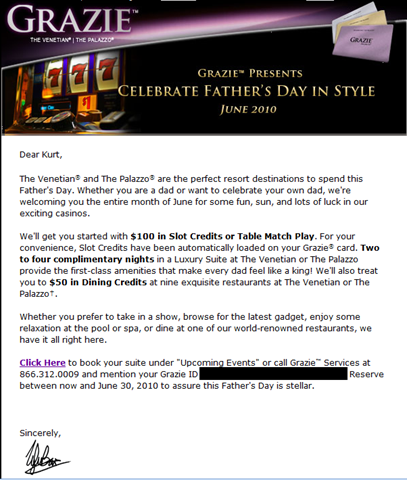
I got another one of those marketing offers to go to Vegas comped based on my previous table play. 

This one was unique however in that it’s squarely targeted at fathers.  Anyone else see the obvious humor in this? 

Come to Vegas!

  • The city that has virtually NO facilities for children. (at least not since the 90’s during the “family friendly” explosion that quickly faded) 
  • Spend time at the tables and away from your kids. (since casinos prohibit children from loitering in the gaming area) 
  • Eat at our fine dining – i.e. no strollers allowed – establishments along the canals
  • Relax in the fun-free zone of the pool (a.k.a. not the Adult / 21 & Over Only part)
  • Blow away your kid’s inheritance/college fund

Sooooo… Happy Father’s Day! 

(Suddenly, I feel TWICE as good about all the cash I’ve taken from the Venetian Blackjack tables.)


Rest in peace, Coach.

June 4, 2010

image


In Search Of… the recipe for Marina Del Rey’s “Killer Shrimp” (Part 5)

June 4, 2010

Well, that didn’t work,

imageLet it be known that parmesan cheese sours a broth.  Literally.  The sour taste of the cheese permeated the broth like I’d added too much tomato paste and that was disappointing.  The rosemary seemed to be a tasty addition however so that was a plus.

However I’m at the point where the acidity of the broth is much too high.  I may need to start the broth completely over from scratch using no starter broth from previous batches.

“WE USE A TON OF BUTTER…”
One thing stuck out in my mind and that was the look of the broth close up.  If you take a look at the edges of the broth in the white bowl in the photo, you can see some froth that is missing in the current experimental recipe. (And every other recipe out there as well)  It also appears to lack the oily look of the current broth which is interesting to me.

I consulted my friend Steph about this aberration and she suddenly began thinking about all sorts of reasons the broth looked so different in the picture compared to the current recipe.  She determined that the froth is the result of the butter.  Milk solids appear like that when you add butter to soups and if you add it early enough, you don’t get that layer of oil at the top of the broth – something the current experimental recipe suffers from.

This makes sense, especially considering you never saw a layer of oil on the original broth.  You might have seen some swirling in the bowl but never a LAYER.  Additionally, it’s well quoted that the Killer Shrimp folk commented several times in quotes that “we use a ton of butter” as part of the cooking process.

So the primary addition of butter is now being added at the VERY END of the cooking process, with some butter used for the mirepoix melting process.  The result is a tastier broth with a froth at the top that tastes good!

GARLIC CHUNKS… NOT MUSH
Another change is the nature of the how the garlic is mixed into the broth.  Previously, I’ve made sure the garlic melted pretty well, but now I’m not so sure.  When looking at the broth sediment of the original Killer Shrimp, you could notice that there were remnants of garlic at the bottom, meaning that it hadn’t completely dissolved into the soup.

So I’m now chopping the garlic but not crushing it like the rest of the spices.  And I’m making sure not to melt it down as part of the mirepoix but rather just let it soften.

So here’s what we’ve got now in this batch:

Killer Shrimp
(version .04)

INGREDIENTS:

      • ½ small onion, diced
      • 1 celery rib, diced
      • 1 moderate sized carrot, diced
      • 5 cloves Garlic, chopped/diced small
      • ½ cup (1 stick) unsalted butter
      • 2 quarts low-sodium chicken broth
      • 2 tablespoon FRESH – not dried – Rosemary
      • 2 teaspoons dried thyme
      • 1 teaspoon ground black pepper (3/4 teaspoon if PREVIOUS batch of Killer Shrimp is available)
      • 1 teaspoon celery seed
      • 1/2 teaspoon fennel seed
      • 1 teaspoon red pepper flakes (3/4 teaspoon if PREVIOUS batch of Killer Shrimp is available)
      • 8oz clam juice (was 1 cup clam juice supposed to change to 2 cups but switched back to 8 oz)
      • 3 tablespoons (3 oz) of tomato paste (was 1/2 (6 ounce) can tomato paste)
      • 1 cup beer (ale)
      • 1 ½ pounds shrimp, with tails
      • 1 (1 pound) loaf French bread
      • 2 cups of PREVIOUS batch of Killer Shrimp

DIRECTIONS:

  1. Fry onion, celery, carrots, garlic in a small pad of the butter until fragrant and soft in a large pot.  Do not use more than a pad here.
  2. Take all the spices (rosemary, thyme, pepper, celery seed, fennel seed, pepper flakes) and cut/crush them enough that they remain whole but are broken to more easily release flavor.
  3. Pour in broth, and mix in rosemary, thyme, pepper, celery seed, fennel seed, clam juice, pepper flakes, & tomato paste. Place cover on pot to maintain consistency.
  4. Bring to a boil, reduce heat to low, and simmer 1 hour, stirring occasionally.
  5. Stir beer into the broth mixture as well as PREVIOUS batch of Killer Shrimp and continue to simmer and occasionally stir 2 hours.
  6. Just before serving, stir in shrimp. Continue cooking 3 minutes, or until shrimp are opaque. Remove and place in serving bowl.
  7. Add remaining butter in pads.  Stir until all pads are melted.  Once melted, quickly turn off heat and serve broth with previously separated shrimp in bowls.
  8. Serve with bread.

WEBCAST: UCLA Game Theory Panel Discussion – feat. WSOP Champion Chris “Jesus” Ferguson – May 24th, 6PM PST

May 24, 2010

clip_image002VIDEO: UCLA Game Theory Panel Discussion – feat. WSOP Champion Chris "Jesus" Ferguson

For those of you that like games of skill such as poker or found the movie “A Beautiful Mind” fascinating, you may be interested in this Ustream webcast going on tonight sponsored by UCLA Engineering/UCLA Math.

Both Chris Ferguson (UCLA PhD – 2000 World Series of Poker Champion) and William Chen (Well known Professional Poker Player) will be in attendance along with 2 of my former profs, Professors Korf & Kleinrock.

Professor Kleinrock is one of UCLA’s most famous active professors and is most notably known for being one of the founding fathers of the Internet. He created & operated one of two nodes of the ARPAnet project, the foundation of what we use today.

Questions will be taken over Twitter using hashtags.

  • VIDEO: “Betting on Chris “Jesus” Ferguson ’86, PhD ’99: Math, Computer Science, and Poker”
    May 24th, 2010 – 6:00PM
    http://tinyurl.com/uclagametheory
  • TWITTER: Send any tweet using the following hashtag
    #uclagametheory


In Search Of… the recipe for Marina Del Rey’s “Killer Shrimp” (Part 4)

May 24, 2010

image Well, the addition of a carrot to the broth was a success from the last batch. 

FRESHEN UP THE ROSEMARY!
Today, we are adding fresh Rosemary at the recommendation of my friend Stephanie Lemus.  She says that the 2 tablespoons of FRESH Rosemary instead of dried makes a huge difference.  I’m curious as to what sort of difference it makes but nonetheless trust her judgment when it comes to food considering I’m an engineering hack and she’s an award-winning cook that’s actually competed for money.  I, on the other hand, am still trying to find people to eat my experiments other than my wife.

THE GREAT PARMESAN EXPERIMENT
I also added a single tablespoon of parmesan cheese believing that this might be the savory taste that is missing.  It clearly needs something to create a more complete flavor and I’m hoping this is it.  I am continuing to use a bottle of Stella Artois as the beer of choice for this broth however the only reason I haven’t shifted to a deeper beer like Guinness is because I don’t have any and keep forgetting to buy some at the local grocery.  Maybe next batch.

With about 2 cups of the original batch just mixed, we now have the complete broth simmering for the next hour or so.  I’m eagerly anticipating the outcome of the great “Parmesan” experiment as it could be a big departure from what I’m used to. 

So for those keeping score, this is batch #5:
(Recent changes have been highlighted in BOLD)

Killer Shrimp
(version .03)

INGREDIENTS:

      • ½ small onion, diced
      • 1 celery rib, diced
      • 1 moderate sized carrot, diced
      • 5 cloves Garlic, minced
      • ½ cup (1 stick) unsalted butter
      • 2 quarts low-sodium chicken broth
      • 2 tablespoon FRESH – not dried – Rosemary
      • 2 teaspoons dried thyme
      • 1 teaspoon ground black pepper (3/4 teaspoon if PREVIOUS batch of Killer Shrimp is available)
      • 1 teaspoon celery seed
      • 1/2 teaspoon fennel seed
      • 1 teaspoon red pepper flakes (3/4 teaspoon if PREVIOUS batch of Killer Shrimp is available)
      • 1 tablespoon of Parmesan Cheese
      • 8oz clam juice (was 1 cup clam juice supposed to change to 2 cups but switched back to 8 oz)
      • 3 tablespoons (3 oz) of tomato paste (was 1/2 (6 ounce) can tomato paste)
      • 1 cup beer (ale)
      • 1 ½ pounds shrimp, with tails
      • 1 (1 pound) loaf French bread
      • 2 cups of PREVIOUS batch of Killer Shrimp

DIRECTIONS:

  1. Fry onion, celery, carrots, garlic in the butter until fragrant and soft in a large pot.
  2. Take all the spices (rosemary, thyme, pepper, celery seed, fennel seed, pepper flakes) and cut/crush them enough that they remain whole but are broken to more easily release flavor.
  3. Pour in broth, and mix in rosemary, thyme, pepper, celery seed, fennel seed, clam juice, pepper flakes, & tomato paste. Place cover on pot to maintain consistency.
  4. Bring to a boil, reduce heat to low, and simmer 1 hour, stirring occasionally.
  5. Stir beer & cheese into the broth mixture as well as PREVIOUS batch of Killer Shrimp and continue to simmer and occasionally stir 2 hours.
  6. Just before serving, stir in shrimp. Continue cooking 3 minutes, or until shrimp are opaque.
  7. Serve with bread.

LINK: Unofficial Official KROQ Weenie Roast 2010 Live Radio Stream

May 16, 2010

While the KROQ Weenie Roast 2010 is not until June 5th – there’s an audio stream with it’s bands available for listening beforehand.

KROQ Weenie Roast 2010 – Saturday, June 5th
Verizon Wireless Amphitheater – Irvine, CA

    • SUBLIME WITH ROME
    • STONE TEMPLE PILOTS
    • HOLE
    • SILVERSUN PICKUPS
    • DEVO
    • PARAMORE
    • DEFTONES
    • SPOON
    • CHEVELLE
    • CAGE THE ELEPHANT
    • THE DIRTY HEADS
    • AGAINST ME!
    • THE TEMPER TRAP
    • PASSION PIT